How to set up a shared inbox for a sales team: channels, ownership, AI and human handover, blocking, and what to write down
The six decisions that make a shared inbox run itself — which channels come in, who owns a conversation, when the AI answers and when a person does, what the person taking over sees, how spam is handled, and which facts get recorded.
Setting up a shared inbox takes an afternoon and six decisions: which channels come in, who owns a conversation when it arrives, when the AI answers and when a person does, what a person does when they take over, how you deal with spam and abuse, and what the team writes down about each customer. Make them once, before the first busy day, and the inbox runs itself.
On this page
1. Connect the channels
- WhatsApp on the Business Platform, through Meta's Embedded Signup — about ten minutes. A number still on the phone app has to leave it.
- Email from the mailbox you already use — Gmail or Zoho.
- Instagram DM and Messenger through your Facebook Page (from Pro). Both are reply-only: customers write first.
- Your website — a WhatsApp button or a form that posts enquiries into the inbox with the page and ad they came from.
2. Decide who owns a conversation
Every conversation needs one owner, or it has none. Decide the default — round the team, by product, by city, by language, by how hot the lead is — and write it as a rule rather than a habit. In Linkubit that is a workflow: "when a lead is qualified, assign to the sales team", "when the city is Mumbai, assign to Priya". The agent editor takes it in a sentence.
3. Decide when the AI answers and when a person does
- The AI answers first, in the first minute, at any hour — greeting, qualifying questions, catalogue answers.
- It hands over on the topics you name (refunds, complaints, custom quotes), when the customer asks for a person, and when it is not sure.
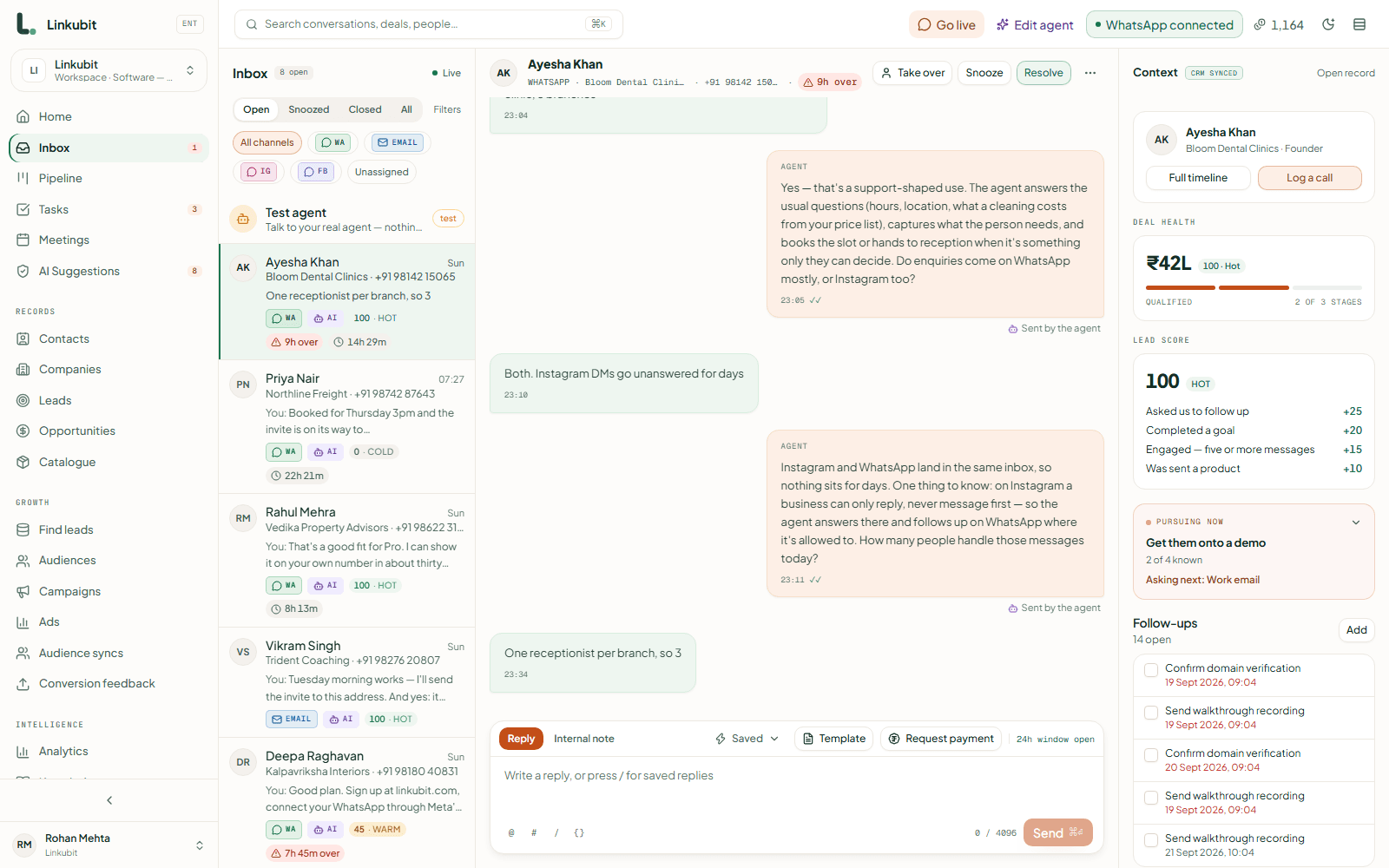
- A person can take over any conversation with one click, and the AI stays out of it until someone hands it back.
- A conversation that floods — dozens of messages in a few minutes — is handed to a person automatically.
The handover guide has the list of moments worth handing over on.
4. Give the person who takes over what they need
- The whole history on one thread, across channels, with voice notes transcribed and every product and payment request sent.
- A summary of the conversation so far, when the thread is long — choose how many messages it reads.
- The customer's record beside it: what they asked for, their stage, their deals, their score, and everything the product did about them.
- A composer that tells you before you send if the channel's window has closed, and what you can send instead.
5. Deal with spam and abuse
Block a contact and their messages stop reaching the inbox, the AI and every campaign — while the record of what they sent is kept. Delete a message from the thread when it should not be there; it shows as deleted, with who deleted it. Decide who on the team may do each, because both are permissions somebody grants.
6. Decide what gets written down
The four to six facts each customer must have before a quote is worth writing — budget, size, dates, product — are fields on the record, not lines in a chat. The AI fills them as it asks; a person fills them on the record when they take over. Scoring rules, routing and reports all read the fields, so a fact left in the chat is a fact nothing can act on. The qualifying guide has the questions by industry.
The checklist
- Channels connected and a test message received on each.
- A default owner rule, and a fallback for when nobody matches.
- Handover topics written as rules, not as a paragraph in a prompt.
- The team's roles set: who answers, who can block, who can export.
- Qualifying fields defined, and the AI asking for them.
- A test conversation run end to end: a question, a quote from the catalogue, a handover, a reply from a person.
How many people can share an inbox?
As many as the plan has seats — 3 on Starter, 5 on Pro, 15 on Scale — with more available as an add-on.
Can two people reply to the same customer at once?
They can both see the conversation, which is why ownership matters: the owner answers, everybody else reads. Assign before you reply.
Does the AI keep replying after I take over?
No. Taking over switches the conversation to a person until somebody hands it back.
Read next
More on Inboxes and CRMsLinkubit vs other toolsWhatsApp templatesCost calculatorPricing
Try it on your own number. Linkubit answers, qualifies and quotes on WhatsApp from your catalogue, and adds nothing to Meta’s per-message price. Start free — fourteen days of Pro, no card — or read the pricing.