What is a CRM? The three types, the capabilities that matter, and what a small business actually needs from one
Customer relationship management explained: operational, analytical and collaborative CRMs, the ten capabilities worth paying for, what a small team really needs, and how a CRM that sits in the conversation differs from one you have to feed.
A CRM (customer relationship management system) is the record of every customer and potential customer: who they are, what they asked for, every conversation, the deals in progress and what happens next. There are three classic types — operational (run the work), analytical (understand it) and collaborative (share it) — and a modern one is all three. For a small business the test is simple: does it answer "who is waiting, what did we promise, and what is this lead worth" without anyone typing it in.
On this page
What a CRM is for
A business without one keeps its customers in a phone, an inbox, a spreadsheet and somebody's memory. That works until two people answer the same lead, a quote goes out at last year's price, or the person who knew the customer leaves. A CRM puts all of it on one record per customer that the whole team reads and writes.
The three types
| Type | What it does | Examples of what it holds |
|---|---|---|
| Operational | Runs the day: captures leads, moves deals, automates follow-up | Contacts, leads, pipeline stages, tasks, sequences, workflows |
| Analytical | Explains what is working | Sources, conversion by stage, cost per lead and per sale, revenue by campaign |
| Collaborative | Shares the customer across the team and channels | Conversation history, ownership, notes, handovers |
Older CRMs were sold by type. Today every useful one does all three, and the real difference is where the data comes from: typed in by salespeople after the fact, or captured from the conversations as they happen.
The capabilities that matter
| Capability | What good looks like |
|---|---|
| Contact and company records | One record per person, with every phone, email and handle joined to it — and merges that can be undone |
| Lead capture | Every channel and ad writes the lead with its source, automatically |
| Conversation history | The actual messages on the record, not a note saying "called, interested" |
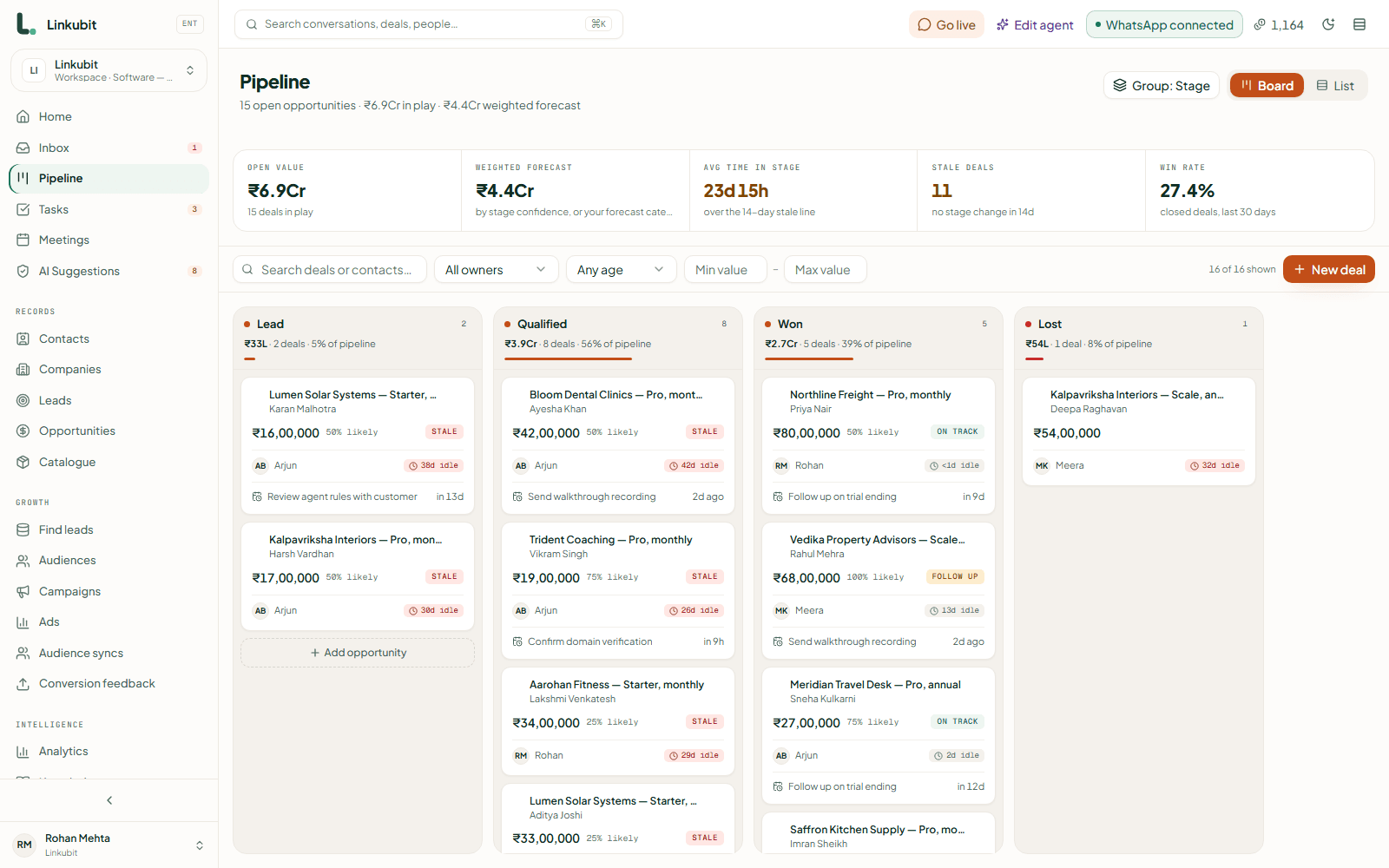
| Pipeline and deals | Stages you name, deals priced from your catalogue, a board the team moves |
| Lead scoring | Points from what people told you and what they did, so the best leads rise |
| Tasks and follow-up | The next step on every deal, and sequences that stop when the customer replies |
| Automation | "When X, do Y" rules — assign, notify, move a stage — that you can read |
| Reporting and attribution | Which campaign produced which revenue, from the click to the close |
| Permissions | Who sees which records and who may export them |
| Integrations | Your other systems kept in step — another CRM, webhooks, spreadsheets |
What a small business actually needs
- Records that fill themselves. Nobody in a five-person team will type up every chat. The CRM has to capture the lead, the conversation and the answers to your qualifying questions without being asked.
- A pipeline you will keep moving. Five or six stages, named the way you talk, and deals that move when something happens — a quote sent, a payment received — not only when somebody remembers.
- The source of every lead. Without it, you cannot tell which of your ads is paying for itself.
- One record across channels. Customers write on WhatsApp, email and Instagram; one person should be one record.
- An exit. A full export of your data, any time, without a ticket.
A CRM that sits where the customers write
Most CRMs are a database you feed. A WhatsApp CRM is one that sits in the conversation: the record is written as the customer talks, the AI fills the qualifying fields, the deal opens priced from the catalogue, and a payment in the chat closes it. Linkubit is that kind — contacts and companies, leads, a pipeline with deals, scoring, tasks, workflows and attribution — over WhatsApp, email, Instagram DM and Messenger.
When you already have a CRM
Many teams already live in monday.com, Zoho, HubSpot or Salesforce and do not want a second place to look. Then the conversation tool should write into the CRM you have: leads and deals on your board, the conversation summary as a note, a deal won in the CRM closing the deal here. Linkubit does this with monday.com and Zoho CRM today, and the CRM sync guide explains how a two-way sync should behave.
What does CRM stand for?
Customer relationship management: the practice, and the software that records every customer, conversation and deal so a team can manage them together.
What is the difference between a CRM and a spreadsheet?
A spreadsheet holds what someone typed. A CRM captures leads and conversations as they happen, joins them to one record per person, moves deals, reminds people of the next step and reports where revenue came from.
Do I need a CRM as a small business?
Once more than one person talks to customers, yes — or once you spend money on ads and need to know which ones pay. Before then, a well-kept inbox is enough.
Is a CRM the same as a shared inbox?
No. The inbox is the conversations; the CRM is the customer record, the pipeline and the reports. The best setups put the inbox on top of the CRM so the record writes itself.
Read next
More on Inboxes and CRMsLinkubit vs other toolsWhatsApp templatesCost calculatorPricing
Try it on your own number. Linkubit answers, qualifies and quotes on WhatsApp from your catalogue, and adds nothing to Meta’s per-message price. Start free — fourteen days of Pro, no card — or read the pricing.