Types of business inbox: personal, shared, omnichannel, helpdesk and AI — what each is for and which one a sales team needs
Five kinds of inbox compared — personal, shared, omnichannel, helpdesk, AI — with what each is good for, where it breaks, the rules each channel imposes, and why the customer record underneath matters more than the list of conversations.
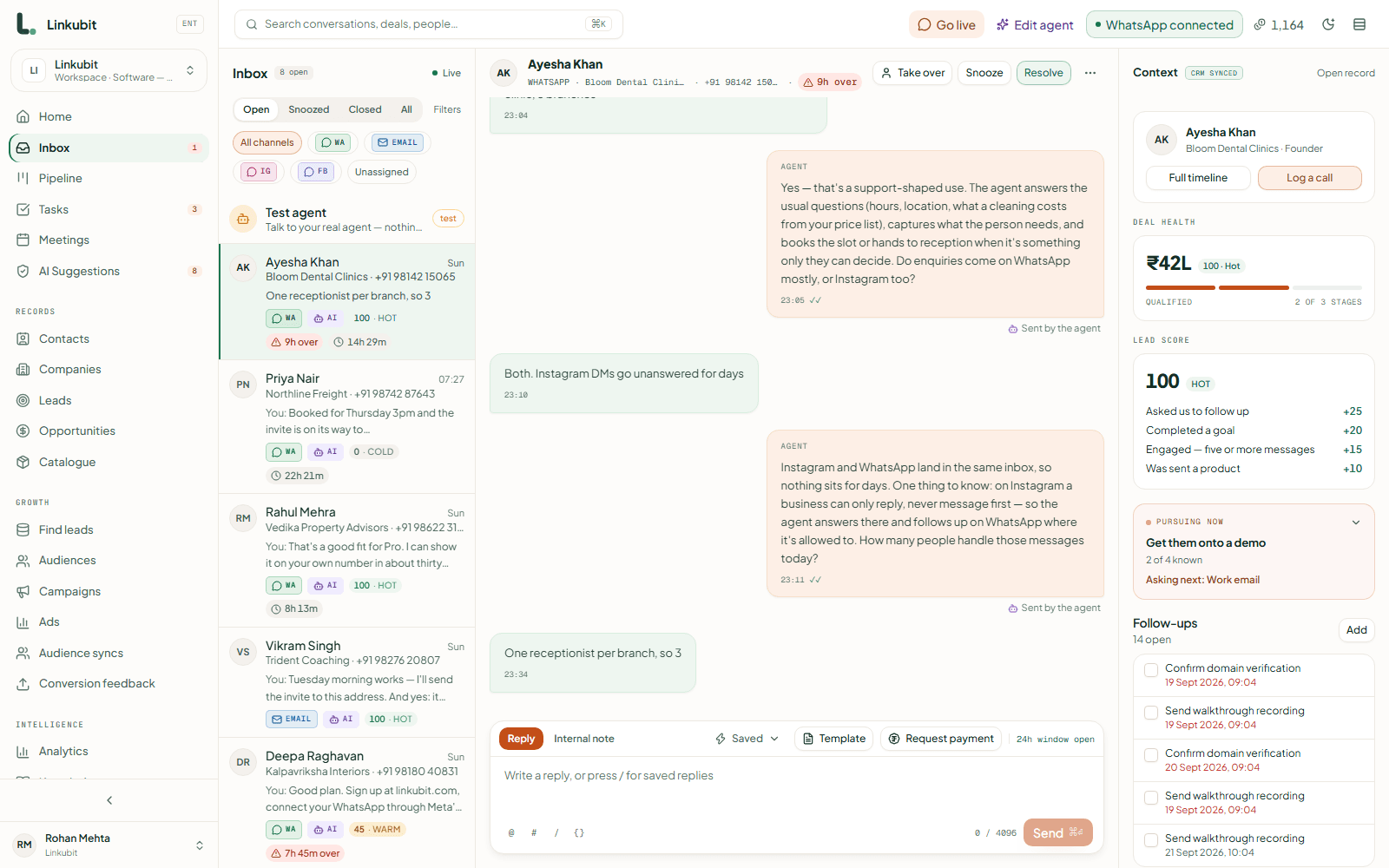
Businesses use five kinds of inbox: a personal inbox (one person, one mailbox or phone), a shared inbox (one address or number, a team answering it), an omnichannel inbox (several channels in one queue), a helpdesk (tickets, SLAs and queues for support), and an AI inbox (software answers first and a person takes over). Most small sales teams need a shared, omnichannel inbox with AI in front of it — and the thing that makes it work is the customer record underneath, not the list of conversations on top.
On this page
The five kinds
| Inbox | What it is | Good for | Where it breaks |
|---|---|---|---|
| Personal | One person's Gmail, Outlook or WhatsApp phone | A founder answering everything themselves | The day a second person needs to see a conversation |
| Shared | One address or number — sales@, the business WhatsApp — answered by a team | Two to twenty people sharing the load | When customers write on more than one channel |
| Omnichannel | WhatsApp, email, Instagram DM and Messenger in one queue, one customer per thread | Businesses whose customers pick the channel | Without a record underneath, it is four inboxes on one screen |
| Helpdesk | Tickets with statuses, SLAs, queues and macros | Support after the sale | Selling: a ticket closes, a deal has to move |
| AI inbox | Software answers first; a person takes over when needed | Speed at any hour, and volume | An assistant whose rules live in a prompt rather than in code |
Omnichannel is about the customer, not the channels
Putting four channels on one screen is easy. The hard part is knowing that the person who clicked an Instagram ad, wrote on WhatsApp and replied to an email is one person — so they get one owner, one history and one deal rather than three strangers. A real omnichannel inbox joins identities onto one customer record and shows the whole history in one thread. One that does not is a tab per channel with a shared logo. The one-inbox guide goes into how.
Each channel has rules the inbox must enforce
| Channel | Who may write first | The window | Worth knowing |
|---|---|---|---|
| The customer; or you, with an approved template to someone who opted in | 24 hours from their last message for anything; templates after | Voice notes, pictures, catalogue cards and payment requests all arrive in the thread | |
| Either side | None | Sent from your own mailbox; out-of-office replies must not be answered | |
| Instagram DM | The customer only | 24 hours; seven days for a reply a person writes | No campaigns, ever; a message is limited to 1,000 bytes |
| Messenger | The customer only | 24 hours; seven days for a reply a person writes | No campaigns, ever |
An inbox that lets you type a message it cannot deliver is worse than one that tells you why not. Every channel's window should be checked before the send, with the reason shown, and the 24-hour rule should not be something your team has to remember. The 24-hour window guide explains WhatsApp's in full.
Helpdesk or sales inbox?
A helpdesk is built around closing tickets: a question comes in, an answer goes out, the ticket is resolved. A sales inbox is built around moving a person: a question comes in, the answer asks one back, the lead is qualified, a quote is sent, a deal opens, a payment lands. If most of your conversations end in a sale, you want the second — with the pipeline, the catalogue and the follow-up beside the thread rather than in another tool.
AI in front, people behind
An AI inbox answers in the first minute at any hour, asks your qualifying questions and hands over when it should. The questions to ask of one: does it quote only from your catalogue, are its rules enforced in code or merely written in a prompt, does it stop for good when a person takes over, and can you see why it did what it did. The handover guide and the rules guide cover both halves.
Which one you need
- One person, one channel, low volume: a personal inbox is fine. Add a shared one before you hire.
- A team selling on WhatsApp: a shared WhatsApp inbox on the Business Platform — the phone app cannot be shared properly. See app versus API.
- Customers writing on several channels: omnichannel, with one record per customer.
- Leads arriving at night or in volume: AI in front, with handover rules you wrote.
- After-sale support with SLAs: a helpdesk, fed from the sales inbox when the deal closes.
In Linkubit
WhatsApp and email on every plan, Instagram DM and Messenger from Pro, on one contact with one thread; the AI salesperson answers first and a person takes over with one click; every send is checked against the channel's window, consent and the plan before it leaves, and the reason is shown when it cannot go.
What is the difference between a shared inbox and a group email?
A group email copies every message to every member, and nobody knows who answered. A shared inbox holds one copy, shows who owns each conversation and what was already said, and lets a reply go out once from the shared address.
Can I use a shared inbox with the WhatsApp Business app?
Not properly. The app lives on one phone with a few linked devices and has no way to hand messages to software. A shared WhatsApp inbox needs the WhatsApp Business Platform.
Is an omnichannel inbox the same as a CRM?
No, but the good ones sit on one. The inbox is the conversations; the CRM is the record of each customer, their deals and their history. An inbox without the record forgets who people are.
Read next
More on Inboxes and CRMsLinkubit vs other toolsWhatsApp templatesCost calculatorPricing
Try it on your own number. Linkubit answers, qualifies and quotes on WhatsApp from your catalogue, and adds nothing to Meta’s per-message price. Start free — fourteen days of Pro, no card — or read the pricing.