Send Linkubit events to your own systems with webhooks
Add an endpoint, choose the events, and verify each signed delivery. Retries, the event list and the one-time signing secret explained. Scale plan.
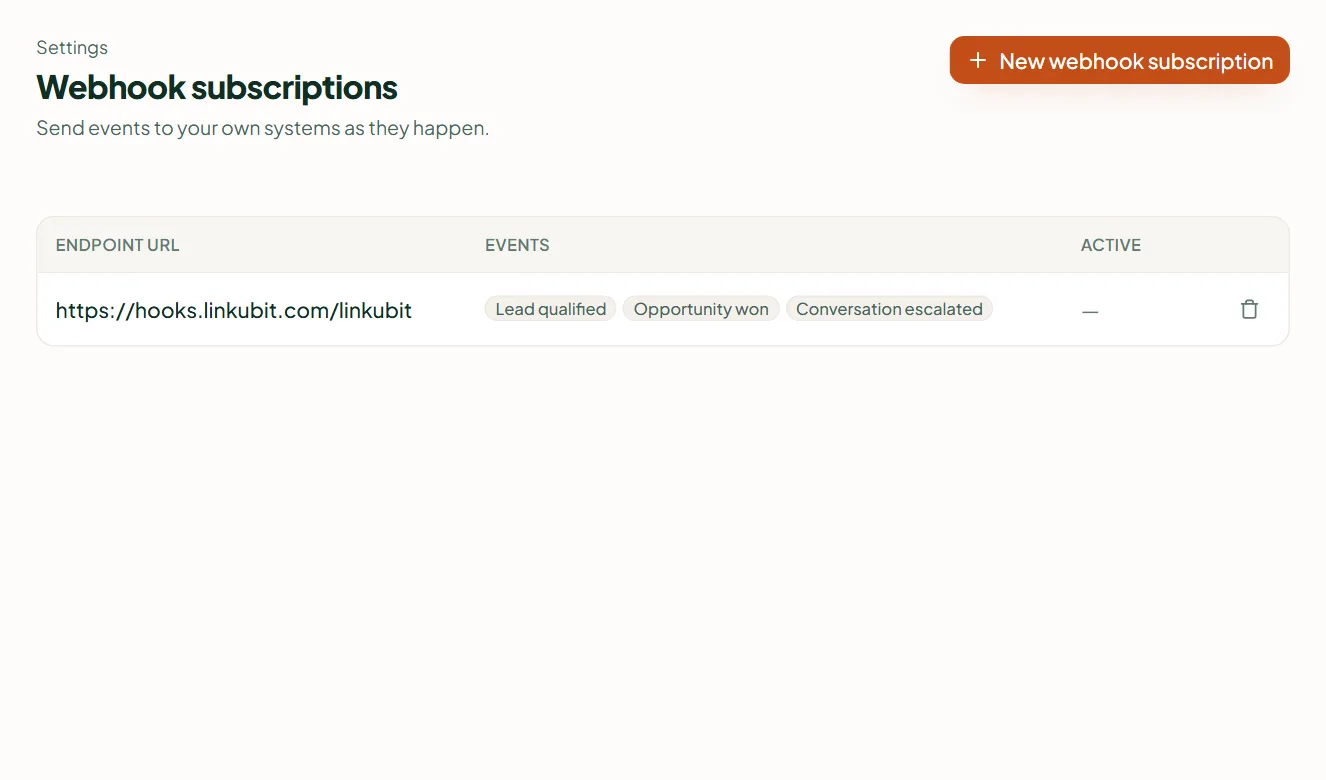
In Settings › Webhooks, add your endpoint URL and pick the events (or none for all). Each delivery is a signed POST; the signing secret is shown once when you create the subscription. A delivery that doesn't get a 2xx is retried, six attempts in all. A subscription can't be edited — delete and re-add it, which mints a new secret. Scale plan.
Add a webhook
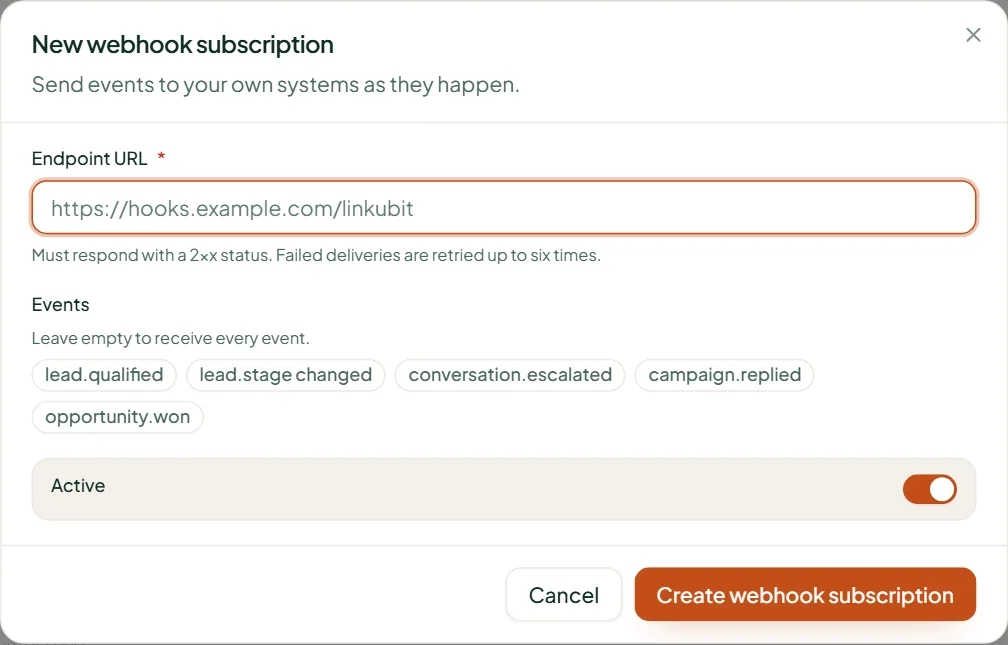
- Open Settings › Webhooks and press New webhook subscription.
- Endpoint URL — your address (use https); it must answer 2xx.
- Events — choose the ones you want, or leave empty to receive every event.
- Leave Active on and create it. Copy the Signing secret from the dialog now — it is shown once.
What you receive
A POST with a JSON body — type, occurred_at, subject_type, subject_id, contact_id, conversation_id and attributes — and three headers: X-Linkubit-Event, X-Linkubit-Delivery (a unique id) and X-Linkubit-Signature, which reads t=<timestamp>,v1=<signature>.
Verify the signature
- Take the raw request body exactly as received, and the timestamp t from the header.
- Compute HMAC-SHA256 with your signing secret over the string t, a full stop, then the raw body; write it as hexadecimal.
- Compare it with the v1 value — if it differs, reject the request.
- Reject a t older than your tolerance (a few minutes) so a captured request can't be replayed.
Retries
Linkubit waits 10 seconds for an answer. Anything but a 2xx is retried — six attempts in all, after 30 seconds, then 1, 2, 4 and 8 minutes. Use the delivery id to ignore a repeat.
Your endpoint must accept IPv6 connections
Linkubit sends from a network that uses IPv6. A server reachable only over IPv4 fails every attempt. Most hosts and CDNs support both; check yours if deliveries fail.
Events
- Leads and deals: lead.created, lead.qualified, lead.assigned, opportunity.stage_changed, opportunity.won, opportunity.lost
- Conversations: message.received, conversation.opened, conversation.replied, conversation.escalated, conversation.went_stale
- Contacts and consent: contact.scored, consent.withdrawn, goal.completed, product.interest_recorded, product.interest_changed
- Campaigns and payments: campaign.replied, campaign.completed, payment.requested, payment.captured, payment.failed
- Ads and connections: ad_campaign.created, ad_campaign.paused, ad_campaign.resumed, ad_conversions.uploaded, ad_account.reconnect_needed, provider.reconnect_needed, prospect_job.finished, crm.record_changed
The list in the dropdown is the live one and can grow. There is no public REST API; webhooks and the CRM connections are how data leaves Linkubit.
Related
Stuck? Write to help@linkubit.com with the screen you are on and what it says. Not using Linkubit yet? Start free — fourteen days of Pro, no card.