Tasks and meetings: follow-ups your team and the agent create
How tasks get created, how to add one yourself, and how meetings are booked — by you or by the agent — with your own scheduling rules.
Tasks are follow-ups — yours, the team's, and the ones the agent files from conversations, such as a call-back or a quote. Meetings are the calls on the books, booked by your team or by the agent within scheduling rules you set: minutes between meetings and how many may overlap.
Tasks
Open Tasks. The tabs are All, Mine, Agent and Overdue; switch between Board (To do, In progress, Done) and List (Overdue, Due today, Later, No date), and sort by Soonest due or Highest priority.
- You — New task, or from a record.
- The agent — when a customer asks for a call-back or a quote it files the follow-up here and grades how pressing it is.
- Workflows and follow-ups — a lead that goes cold makes a task for its owner.
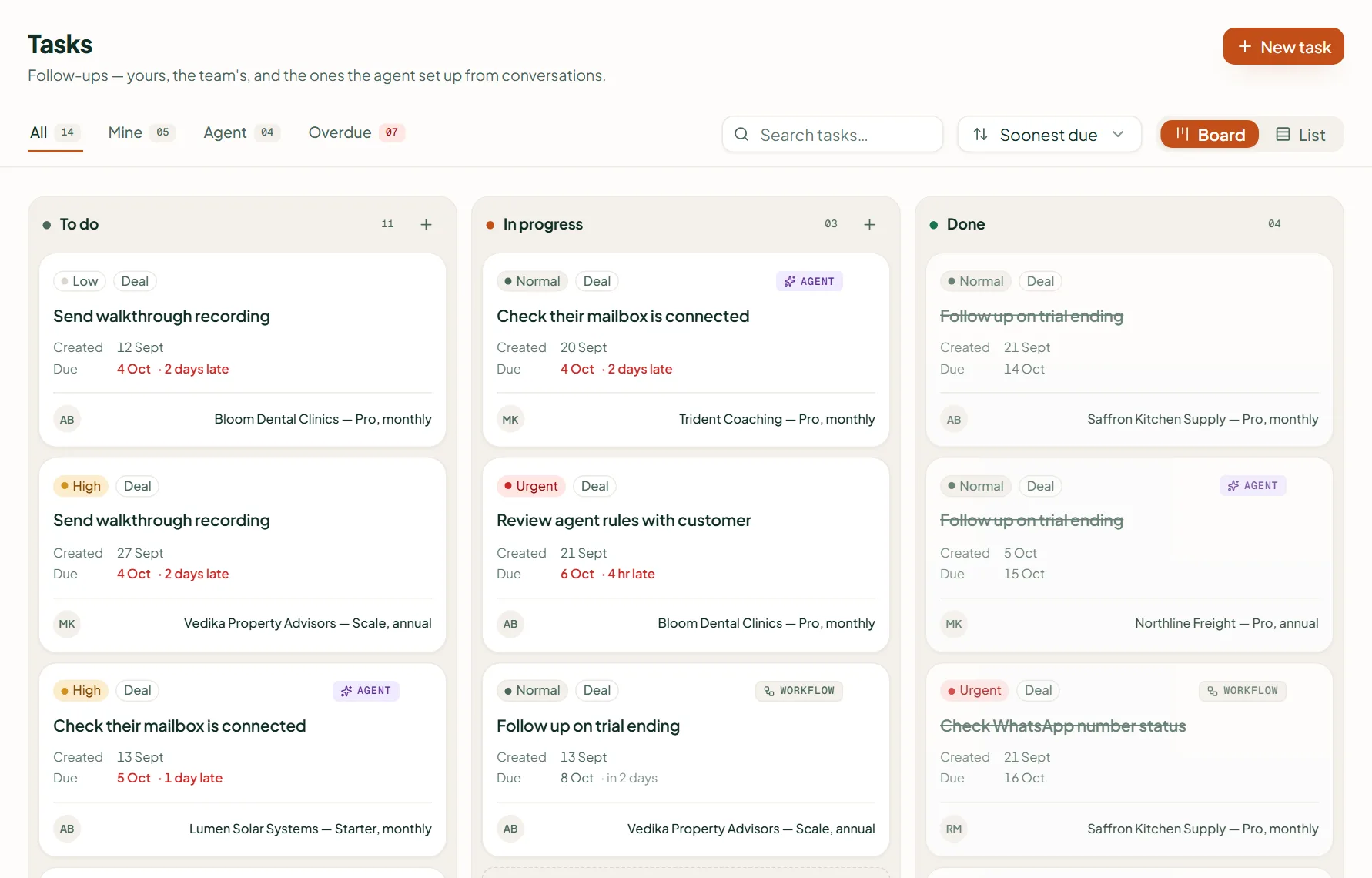
In New task fill What needs doing, Link to a contact (optional), Due, For (who), Priority, Status and Notes, then Create task.
Meetings
Meetings shows Upcoming, Completed this month and Booked by the agent, with a calendar and a table. New meeting takes a Title, With (a contact), Date, Time, Link or place and Priority; Book meeting saves it.
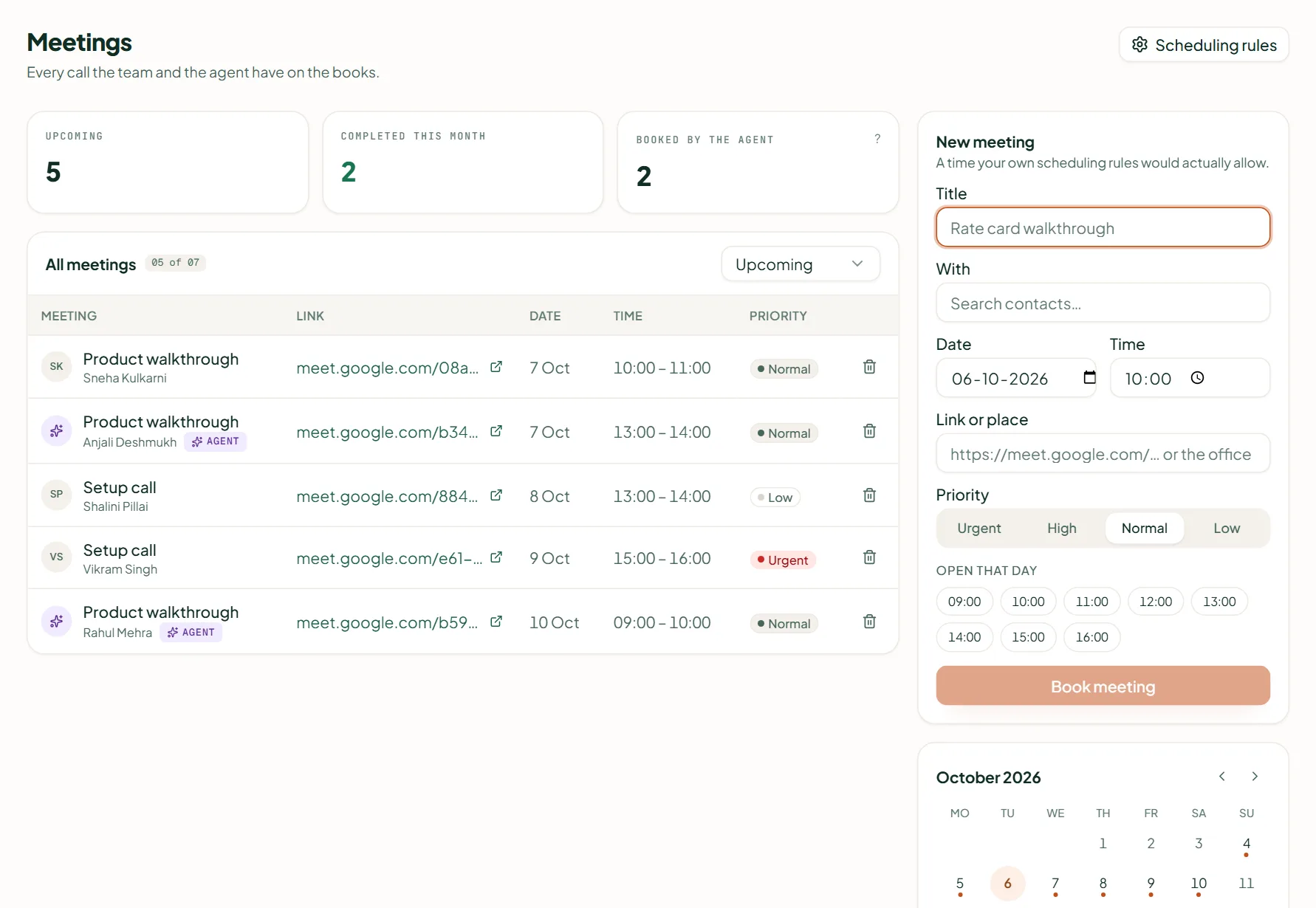
A time that clashes shows "That time is already taken" with other times to try. Set the limits under Scheduling rules: Minutes between meetings (default 60) and Meetings allowed at the same time (default 1). The agent books within the same rules.
Related
Stuck? Write to help@linkubit.com with the screen you are on and what it says. Not using Linkubit yet? Start free — fourteen days of Pro, no card.