Connect your WhatsApp number to Linkubit
Connect a business number through Meta's own sign-up window, activate it with a PIN, and add a payment method so Meta keeps delivering your replies.
Go to Settings › WhatsApp and press Connect with Meta. In Meta's window, log in with Facebook, pick or create a WhatsApp Business Account, and choose and verify the number. Back in Linkubit, set a six-digit PIN to activate it. On the trial, connecting earns 75 credits.
Before you start
- A phone number that can receive an SMS or a call to verify it. A new number is simplest. A number in use on the WhatsApp Business app has to be deleted from the app first — see below.
- Access to your business's Facebook login. Meta's window opens on Meta's site — Linkubit never sees your password.
- About two minutes.
Connect
- Open Settings › WhatsApp (or the WhatsApp step of setup) and press Connect with Meta. If the button reads "Getting Meta's sign-in ready…", wait a moment.
- Log in with Facebook in the window Meta opens.
- Pick or create the account — choose an existing WhatsApp Business Account, or set a new one up.
- Choose the number — an existing business number or a new one — and verify it by SMS or call.
- When Meta's window closes, Linkubit shows WhatsApp connected. If Meta granted more than one account or number, pick one and press Use this account or Use this number.
Activate the number
If you see One step left: activate the number, choose a six-digit two-step verification PIN and press Activate. If the number already has a PIN, enter that one. The PIN is passed to Meta and never stored.
Add a payment method in WhatsApp Manager
Do this the same day
From 1 October 2026 Meta bills every reply to your own WhatsApp Business Account and stops delivering replies on a number with no payment method on file. Open Manage on Meta › Billing & payment on the WhatsApp settings card and add a card or credit line. Linkubit adds nothing to that bill.
Numbers already on the WhatsApp Business app
Meta does not let one number sit on the WhatsApp Business app and this sign-up at once. Back up your chats, delete the account from the app (WhatsApp Business › Settings › Account › Delete account), then connect the number here; from then on its messages arrive in Linkubit's inbox and the app no longer works for it. If you need to keep using the app, connect a different number.
It says the account is connected but has no verified number.
Add and verify a number in WhatsApp Manager, then press Check again. Start over runs Meta's sign-up from the beginning.
It says "Signup was closed before it finished."
Meta's window was closed early. Nothing was connected; press Connect with Meta again.
My number was set up through a developer app.
Meta does not allow those numbers through this sign-up. They are connected by hand — write to help@linkubit.com with the number and we will do it.
Where do I see the number's quality and limits?
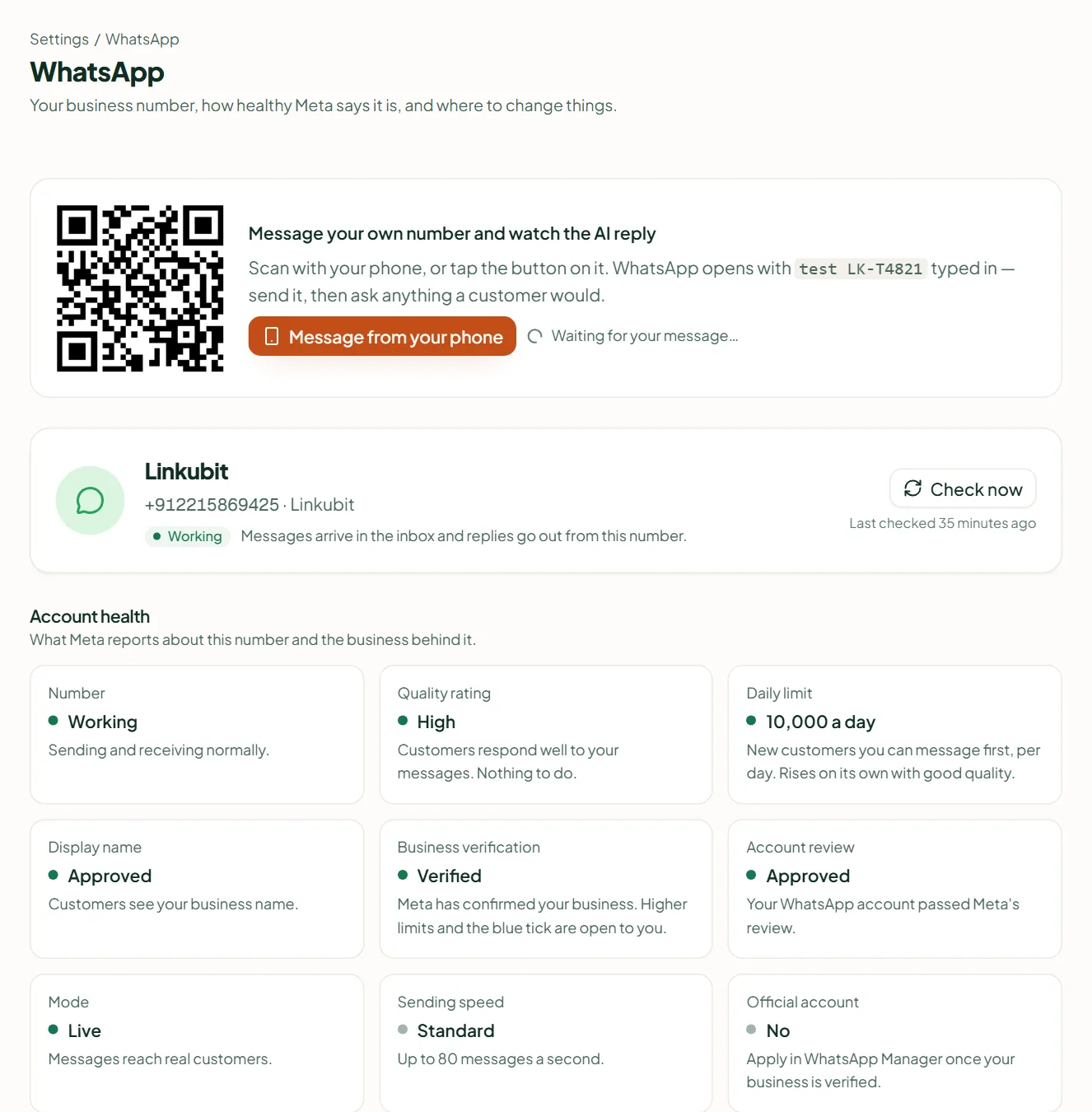
On the same card, under Account health: quality rating, daily limit, display name, business verification and more. See WhatsApp quality rating and messaging limits.
Related
Stuck? Write to help@linkubit.com with the screen you are on and what it says. Not using Linkubit yet? Start free — fourteen days of Pro, no card.