AI Suggestions: changes the agent proposes, that only you can accept
Review the changes Linkubit's daily analysis suggests to your agent's goals, rules, scoring, buttons and workflows — nothing changes until you accept.
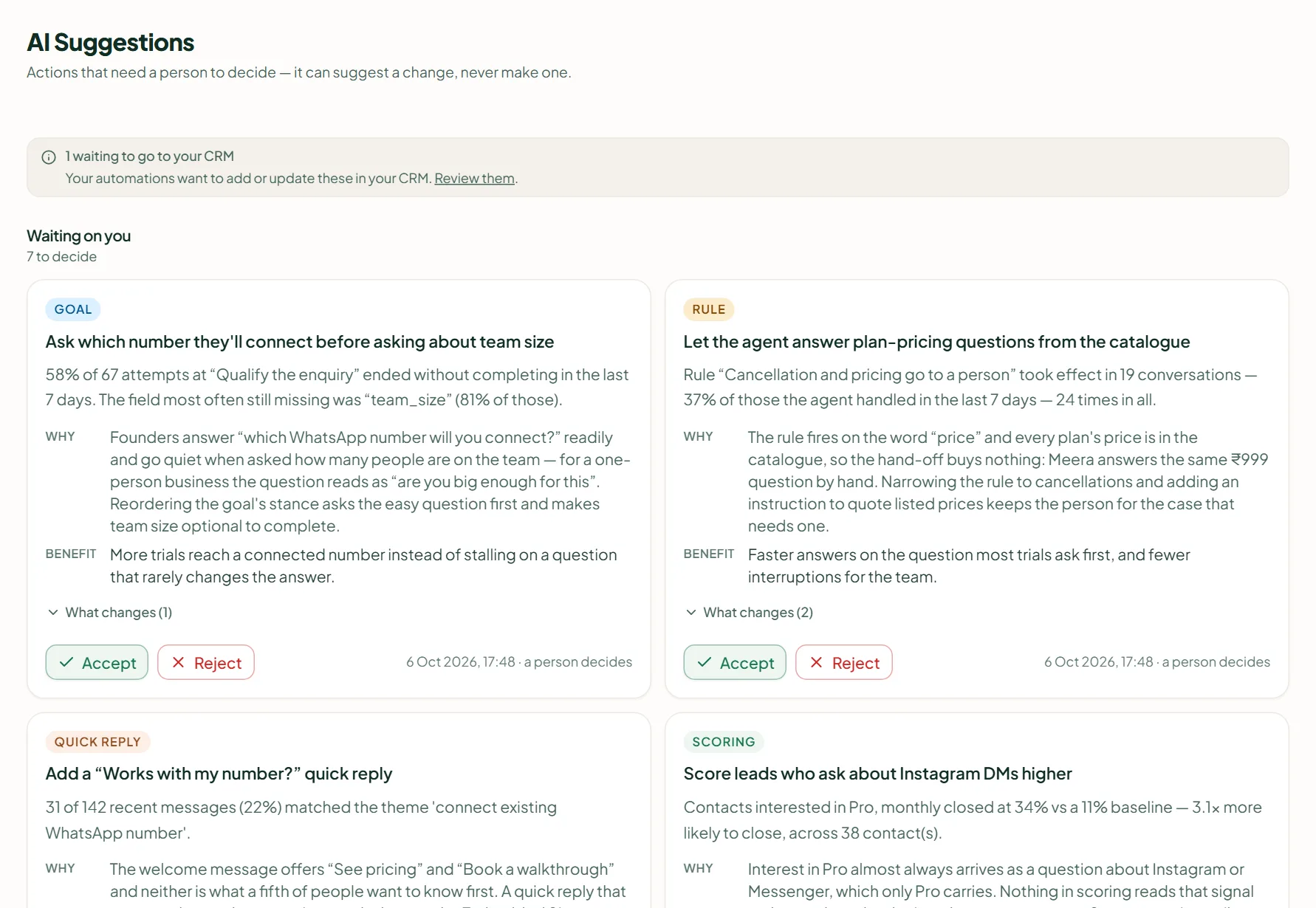
AI Suggestions lists actions that need a person to decide. The daily analysis looks at what customers actually did and suggests changes; you press Accept to make the change live or Reject to dismiss it. The agent can draft a change and can never be the one who says yes. Generate now is on Pro and Scale.
Read and decide
- Open AI Suggestions. Waiting on you shows the ones to decide, Worth knowing the observations, and Decided the history.
- Read the card: what it proposes, the benefit, and the reasoning from your conversations.
- Press Accept — "Accepted — the change is live" — or Reject. An observation has Dismiss.
Generate now runs the analysis on the last week without waiting for the daily one ("N new suggestions", or "Nothing new to suggest"). The daily run is included in Pro and Scale at no credit cost. A suggestion that can't be applied any more — because the setting it names has changed — is declined by name, never silently recreated.
Why the agent can't approve its own changes
A change to the agent's own rules is held until a person decides. An agent that could edit its own governance would be choosing its own constraints. Deciding needs the permission Approve or reject.
Related
Stuck? Write to help@linkubit.com with the screen you are on and what it says. Not using Linkubit yet? Start free — fourteen days of Pro, no card.