Set up automatic follow-ups for customers who stop replying
Switch on follow-ups so the agent nudges a quiet conversation on a schedule you set, then marks the lead cold and tells your team.
Settings › Follow-ups is off until you turn it on. Then, when a customer hasn't replied to the agent's last message, the agent writes up to ten follow-ups at the times you choose (by default after 1, 6 and 24 hours of silence). If there is still no reply by the cold time (default 72 hours) the lead is marked disqualified and a task is made for the owner.
Turn it on and set the schedule
- Open Settings › Follow-ups and switch on Following up on quiet conversations.
- Under Schedule, set each Follow-up N after a number of minutes, hours or days of silence. Add a follow-up adds another (up to ten, at least one); each must be later than the one before.
- Set Mark cold after — it must be after the last follow-up.
- Under WhatsApp after the 24-hour window, choose the Template to send (see below).
- Press Save changes — "Follow-ups saved".
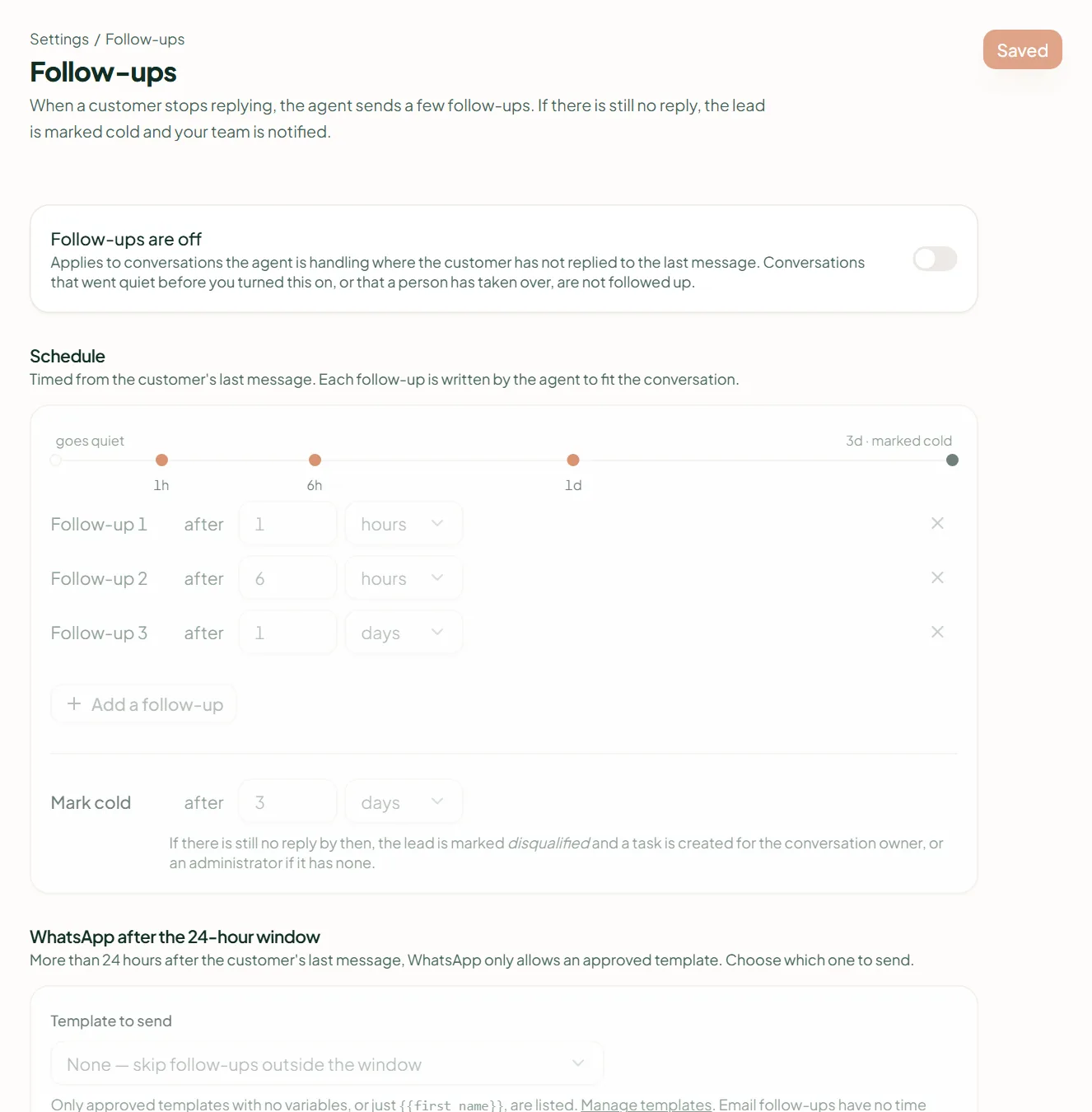
Each follow-up is written by the agent to fit that conversation, timed from the agent's last message going unanswered, counted from when the conversation is found quiet. Defaults are 1 hour, 6 hours and 24 hours, going cold at 72 hours.
After the 24-hour window
More than 24 hours after the customer's last message, WhatsApp allows only an approved template. Pick one in Template to send; only approved templates with no variables, or only {{first_name}}, are listed, and Manage templates takes you to create one. Choose None to skip follow-ups once the window has closed. Email follow-ups have no time limit.
What stops a follow-up
- The customer replies.
- A person takes the conversation over, or it is closed.
- The conversation went quiet before you switched follow-ups on — history is never followed up.
- The message can't be sent: no consent, the contact is suppressed or blocked.
- Instagram and Messenger are never followed up — Meta allows only replies there.
Going cold
When the cold time passes with no reply, the lead is marked disqualified and a task is created for the conversation's owner — or an administrator if it has none. The conversation itself stays as it was. There is no quiet-hours setting for follow-ups.
Related
Stuck? Write to help@linkubit.com with the screen you are on and what it says. Not using Linkubit yet? Start free — fourteen days of Pro, no card.