See what used credits, and who changed what: Usage and the audit log
Read Settings › Usage to see what spent your credits this period, and the audit log to see every change made by people, the agent and workflows.
Usage shows credits spent this billing period, the balance (included and purchased) and a by-day chart, split into work that costs credits and work that is only counted. The audit log lists every change in the workspace — who made it, what it was and what it touched — filterable by people, the agent, workflows and the system.
Usage
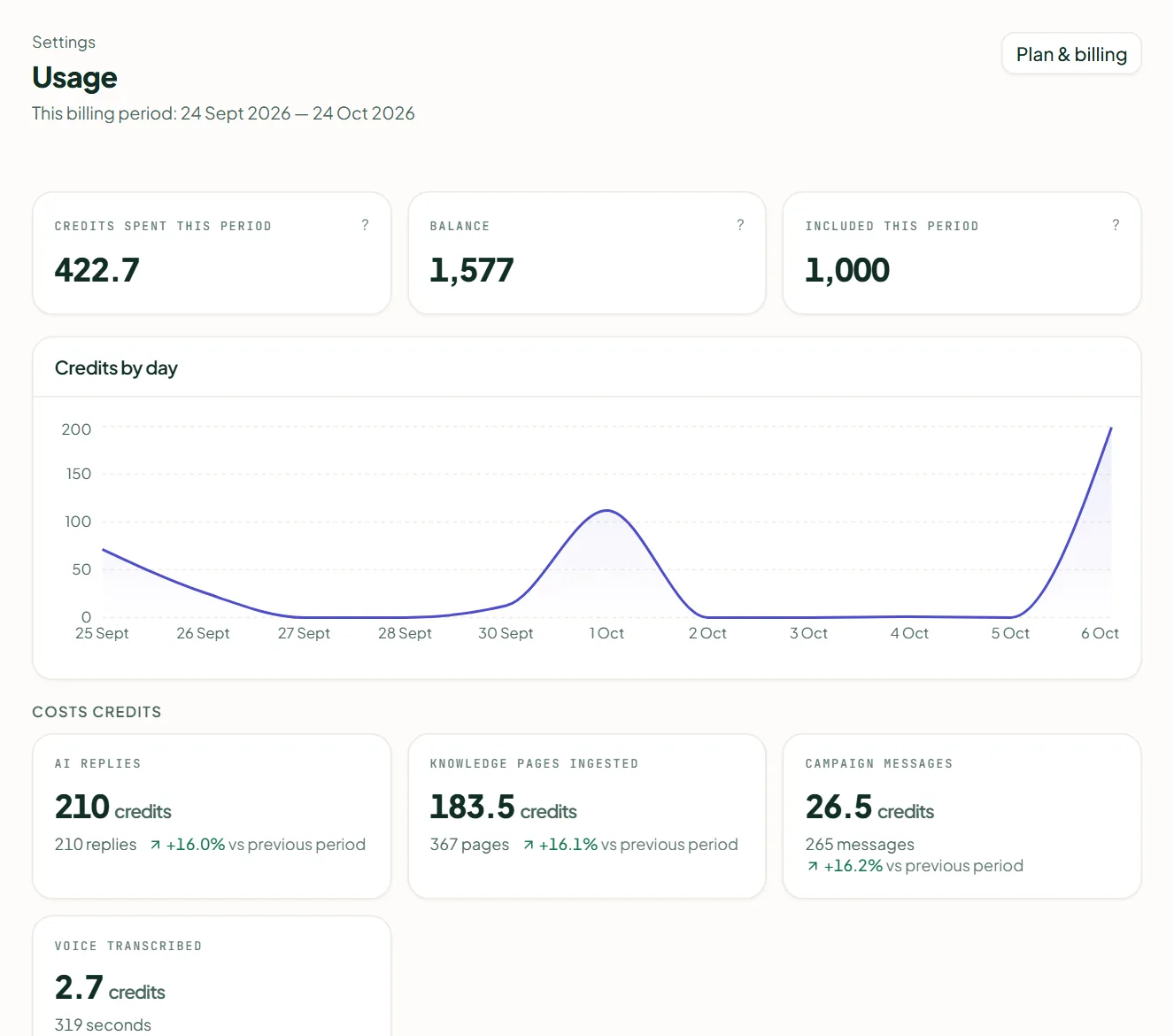
Open Settings › Usage. The tiles show Credits spent this period, your Balance (included and purchased, or Unmetered) and Included this period, which resets on your billing date. Credits by day charts the spend; below it, Costs credits lists the work that was charged and Counted, never charged the work that was only recorded. Charged work is recorded as it happens. Plan & billing takes you to top up.
Audit log
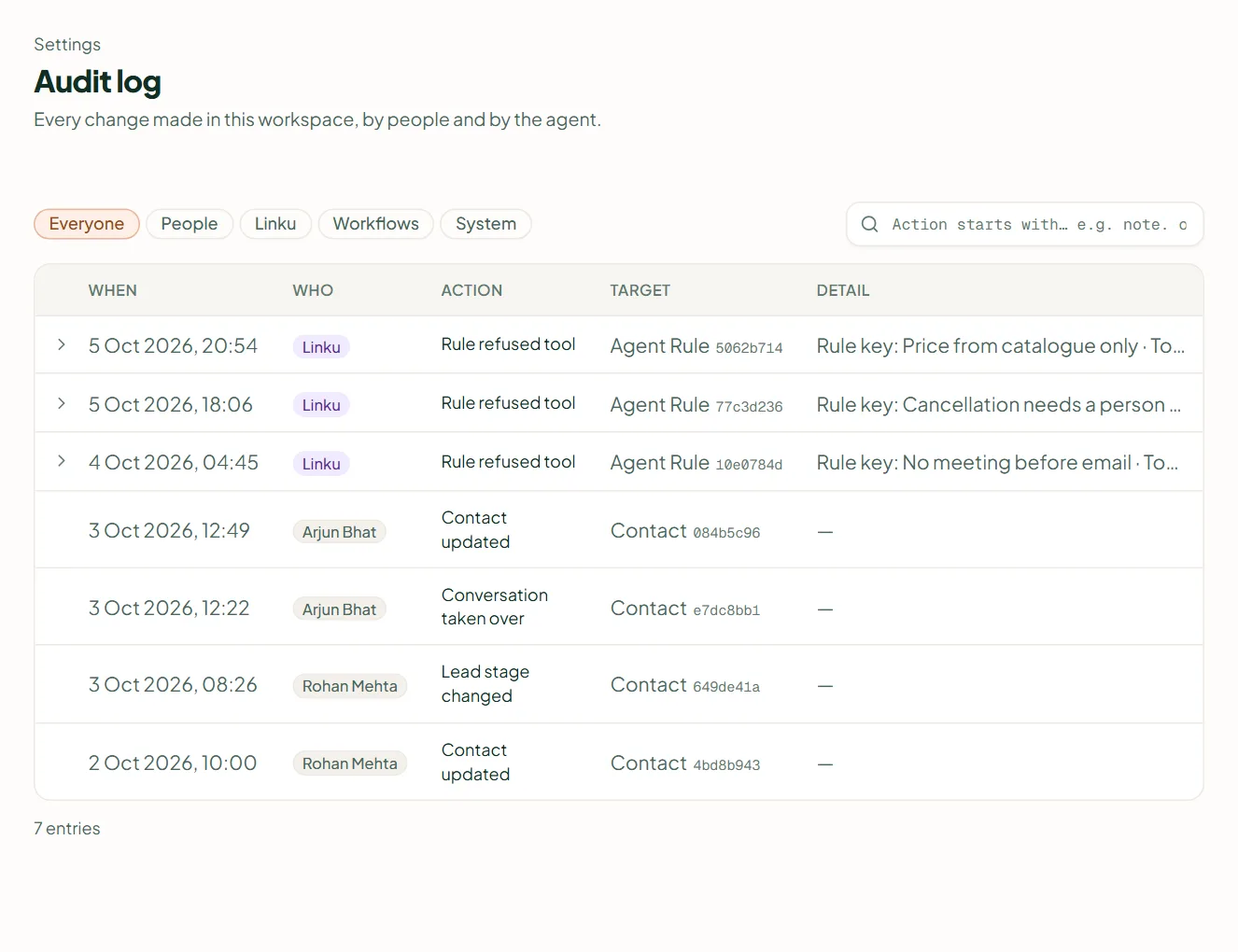
Settings › Audit log records every change made in the workspace, by people and by the agent. Filter by actor — Everyone, People, Linku (the agent), Workflows, System — or by an action prefix such as note. or event:. Each row gives When, Who, Action, Target and Detail; Load more pages back. Releasing a suppression and erasing a contact are written here, which is why the log is the answer to "who did that".
Related
Stuck? Write to help@linkubit.com with the screen you are on and what it says. Not using Linkubit yet? Start free — fourteen days of Pro, no card.