Linkubit
Inbox and contacts

Set up a welcome message that goes out before the AI replies

Send up to four messages of your own the first time someone writes — on WhatsApp, email, Instagram or Messenger — before the agent answers.

Updated 6 October 2026 · 2 min read

In short

In Settings › Welcome message, pick a channel, switch on the welcome and add up to four messages. They go out in order, exactly as you wrote them, once per person, the first time that person messages you — and then the agent replies. People you contacted first through a campaign don't get it.

Set it up

  1. Open Settings › Welcome message and choose the channel's tab: WhatsApp, Email, Instagram or Messenger.
  2. Switch on Send a welcome on WhatsApp (or the channel you chose).
  3. Press Add the first message and write it. The box is Message — or Caption if you attach a file.
  4. Optional: Attach a file (JPEG, PNG, MP4 or PDF, up to 16 MB) and choose Buttons: none, reply buttons, a link button, or a list.
  5. Add up to four messages ("You can send up to 4 messages."). Move up and Move down change the order; Delete message removes one.
  6. Press Save changes — the toast reads "WhatsApp welcome saved". Remove deletes that channel's whole welcome.
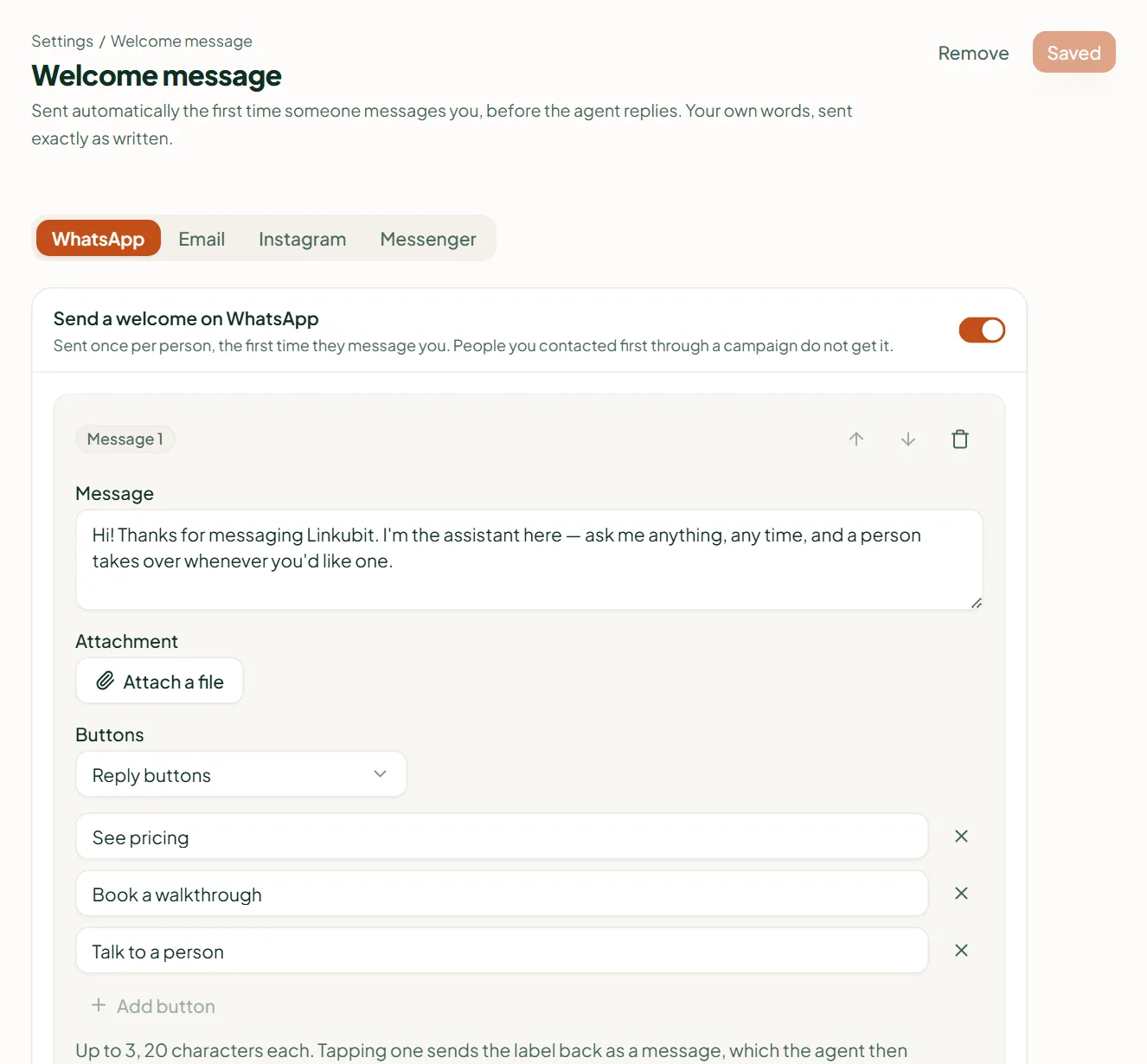
Linkubit Settings › Welcome message: channel tabs for WhatsApp, Email, Instagram and Messenger, a welcome switched on with its first message and three reply buttons
Settings › Welcome message: one tab per channel, up to four messages, and optional buttons.

Buttons on a welcome

  • Reply buttons — up to three on WhatsApp, 20 characters each. Tapping one sends its label back as a message, which the agent then answers.
  • Link button — a Button label and a Link.
  • Select one — a list: a label for the button that opens it, then up to ten rows, each with a title (24 characters) and an optional description (72). A list can't also carry a file.
  • Instagram and Messenger take quick replies only. Email combines every message into one email, with a Subject on the first; attachments and buttons become links.

Sent exactly as written

A welcome is not written by the AI — your words go out unchanged, which makes it the right place for your opening line, a first photo, or an opt-in notice.

Does everyone get the welcome?

Everyone who messages you first, once. A person you contacted first through a campaign does not get it.

Does the AI still reply?

Yes. The welcome goes first, then the agent answers what the customer wrote.

Related

Stuck? Write to help@linkubit.com with the screen you are on and what it says. Not using Linkubit yet? Start free — fourteen days of Pro, no card.

Ready to put your sales on autopilot?

Start free

No coding required. No credit card required.