Build an audience: who a campaign goes to
Create an audience from rules over your contacts, an imported list, or both — and choose the consent basis for everyone you add.
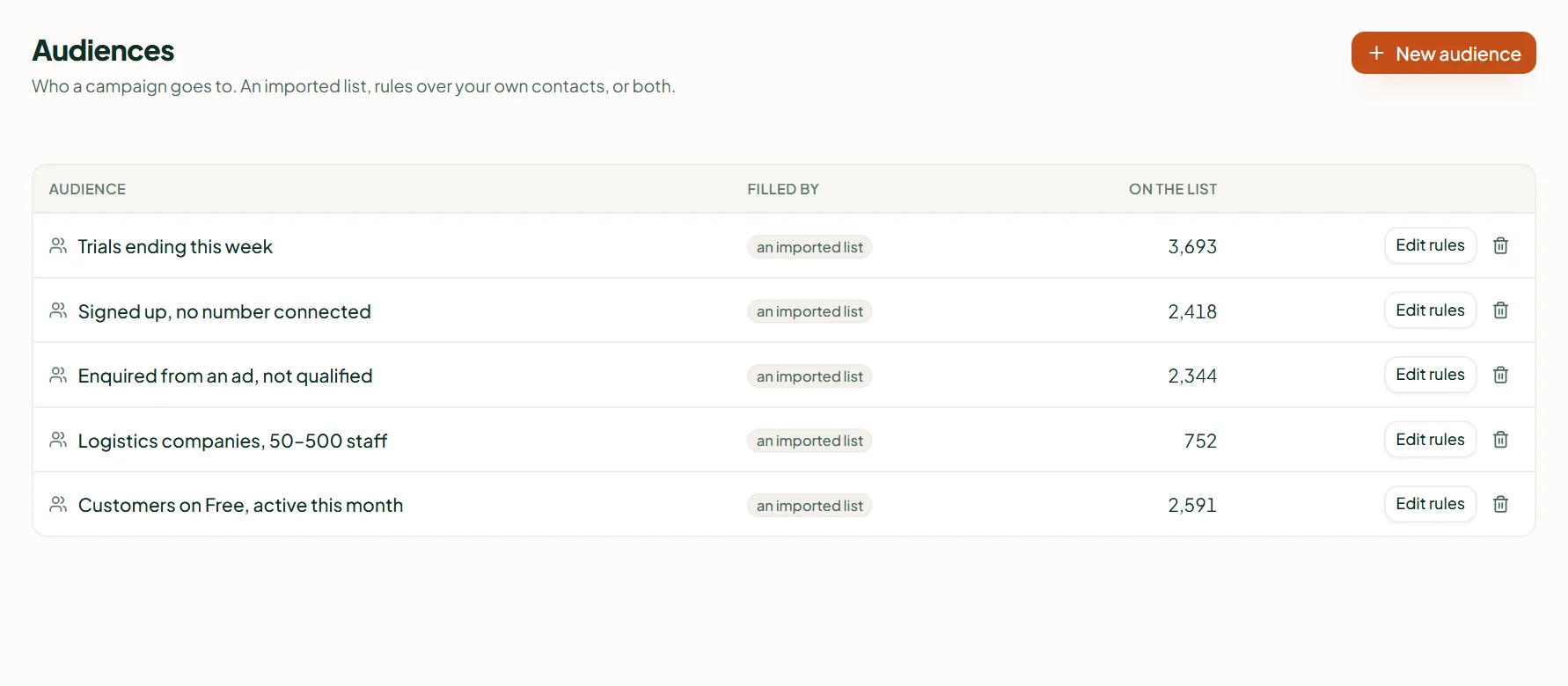
An audience is who a campaign goes to: an imported list, rules over your contacts, or both added together. Create one under Audiences, then press Edit rules or Add people. Rules are re-checked every time a campaign enrols, so someone who stops matching never gets the rest of a sequence. Starter and up.
Create it
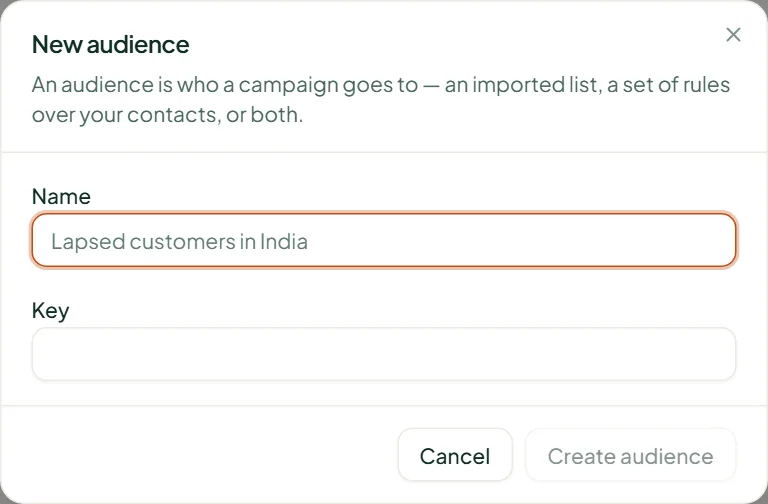
- Open Audiences and press New audience.
- Give it a Name (for example "Lapsed customers in India"); the Key fills itself in. Press Create audience.
- Fill it: Edit rules for who matches, Add people for a list — or both.
Rules
Edit rules shows the live count ("from a list · by rule"), a Count for choice of WhatsApp or Email, and Include people where all or any of your conditions match. Save with Save rules — the count updates on save.
Add people
- From contacts — search, tick, Add N contacts.
- Upload a file — CSV or Excel with name, phone, email, company; Download a template gives the format. A row with neither phone nor email is skipped and reported.
- Type them in — a name (optional) and a phone or email, Add another for more.
Everyone is de-duplicated against your existing contacts first. For uploads and typed lists you must say Why may you contact these people? — They are already a customer, They asked to hear from you or Legitimate interest — and the import button stays off until you do. It is recorded against every contact with your name and the date.
Deleting an audience
Nobody is deleted — an audience is only a grouping. A campaign that still uses it blocks the delete.
Related
Stuck? Write to help@linkubit.com with the screen you are on and what it says. Not using Linkubit yet? Start free — fourteen days of Pro, no card.