Test your AI agent before customers see it
Use the pinned Test agent conversation in the inbox to talk to your agent as a customer would, before you connect a number or after you change a rule.
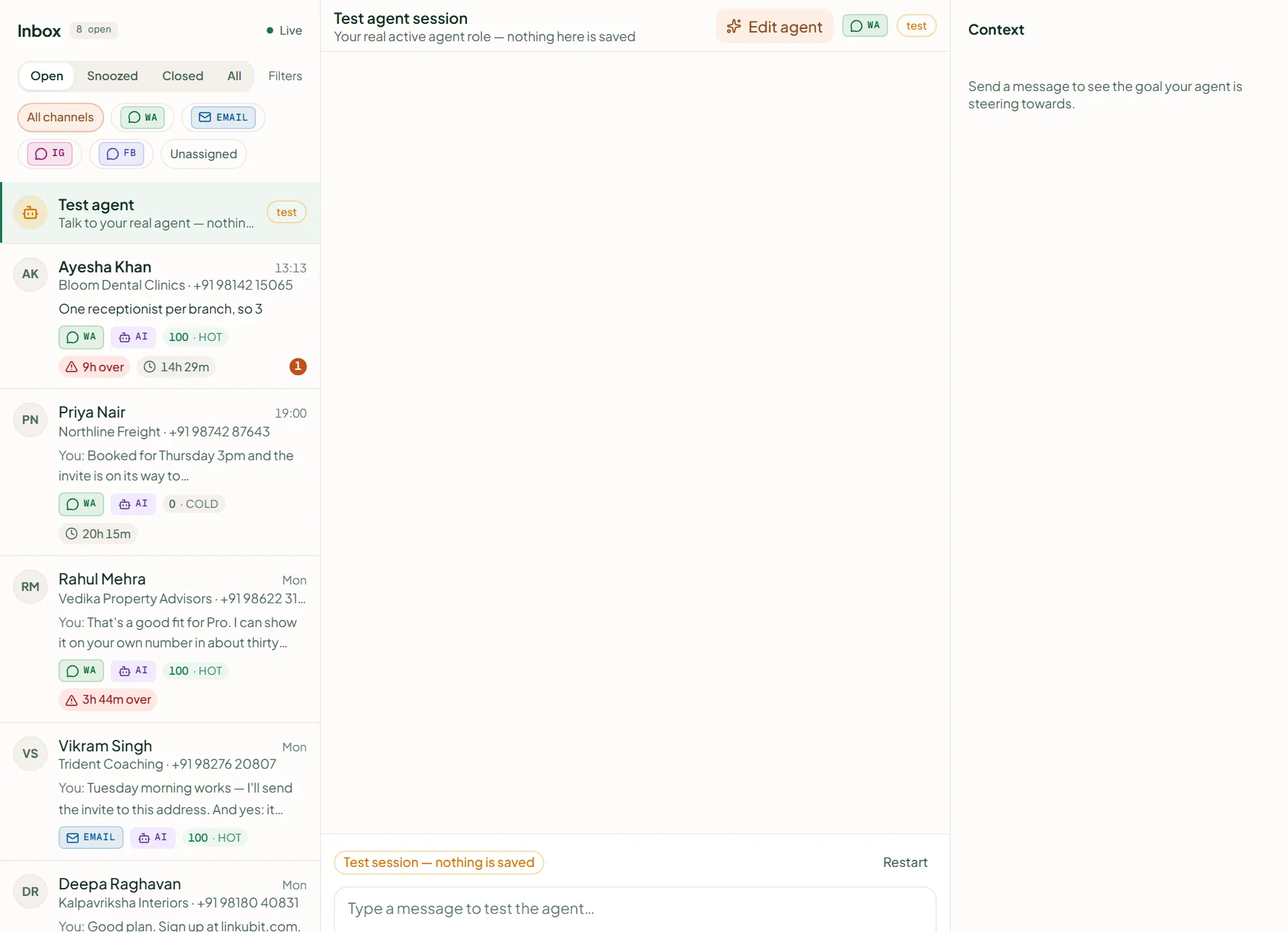
Open Inbox and choose the pinned Test agent conversation. Write as a customer; the agent answers with your real knowledge, catalogue and rules. While you are on the trial or still setting up, 50 test replies are free; after that a test reply costs a credit like any other, at most 20 an hour.
How
- Open Inbox. The Test agent conversation is pinned at the top.
- Type in Type a message to test the agent… — ask what your customers ask: the price of a product, whether you deliver to their city, a refund.
- Check three things: it quotes catalogue prices only, it asks your goal's questions, and it hands over when it should.
- Not right? Press Edit agent in the test session header and say what to change.
Does testing message a real customer?
No. The test session reaches nobody and needs no connected number.
Does it cost credits?
The first 50 test replies are free while you are on the trial or setting up; after that, 1 credit per reply, as for any AI reply.
Related
Stuck? Write to help@linkubit.com with the screen you are on and what it says. Not using Linkubit yet? Start free — fourteen days of Pro, no card.