Change your AI agent in plain words with Edit agent
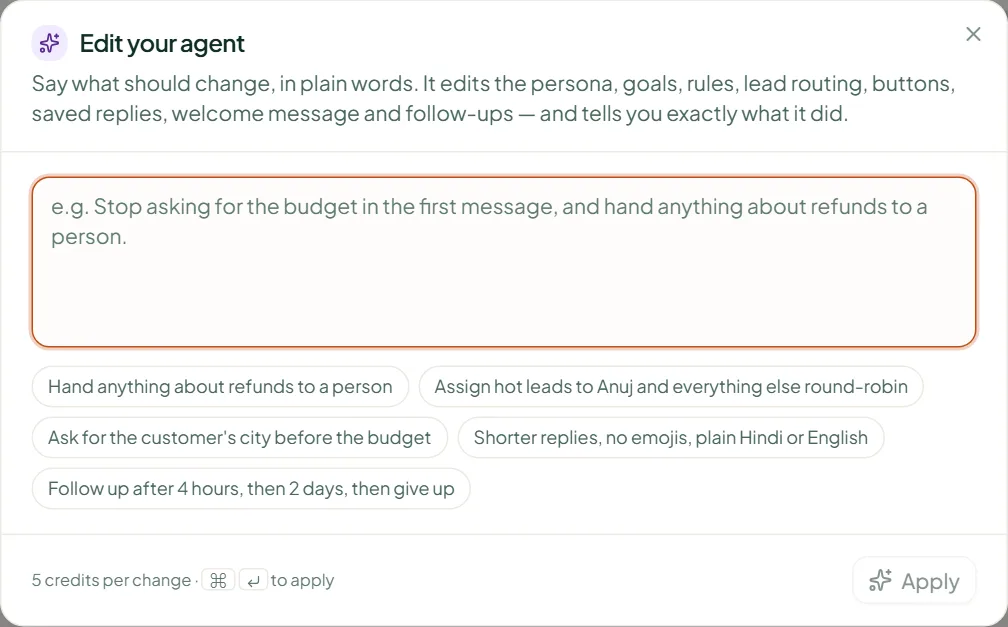
Type what should change — a new question, a stricter rule, a route for hot leads — and Edit agent proposes the exact changes, applied after you review them.
In short
Press Edit agent in the top bar, write what should change ("ask for the delivery pincode before quoting", "send hot leads to Anuj"), and press Apply. Each change is validated like a manual edit; anything it can't do is declined with a reason. 5 credits per request, however many changes it makes; Starter and up.
How
- Press Edit agent in the top bar (or in the test session).
- In What should change, describe it in a sentence.
- Press Apply. Linkubit lists each change it made and any it declined, with the reason.
What it can and cannot change
- Can: the persona and tone, the fields it collects, goals and their questions, rules, scoring, follow-ups, and routing — assign hot leads to a person or team, create a task, escalate, stop campaigns.
- Cannot: the agent's tool permissions, a campaign, a price, or what counts as a lead. Those are changed on their own screens by a person.
It says "Nothing changed — out of credits".
Top up on Plan & billing; nothing was charged.
It says the agent editor is on Starter and up.
Edit agent is part of Starter, Pro and Scale. On Free, change settings screen by screen.
Related
Stuck? Write to help@linkubit.com with the screen you are on and what it says. Not using Linkubit yet? Start free — fourteen days of Pro, no card.