Pipeline stages, lead scoring and workflows in Linkubit
How a conversation becomes a scored lead and a priced deal: the starter stages, scoring rules and workflows, and where to change each.
In short
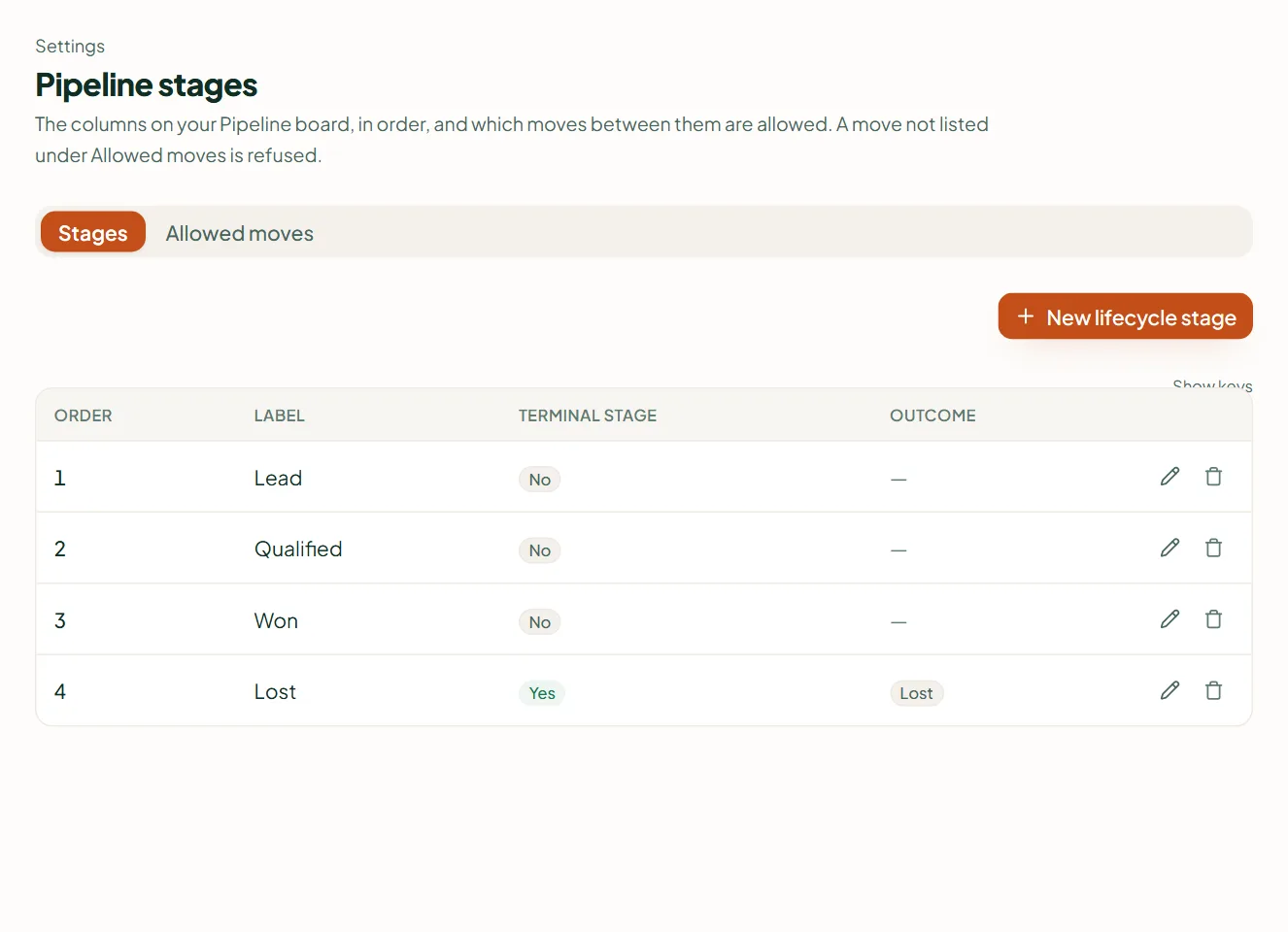
Every workspace starts with stages Lead, Qualified, Won and Lost, and starter workflows: a score of 40 qualifies the lead, a qualified lead opens a deal priced from your catalogue, and an ad lead gets a follow-up task within an hour. Change them in Settings › Pipeline stages, Scoring rules and Workflows.
Where things live
| Screen | What it controls |
|---|---|
| Settings › Pipeline stages | The stages a contact moves through (starter: Lead, Qualified, Won, Lost). |
| Settings › Scoring rules | Points for what a contact said or did. Rules can be written in words on Pro and up. |
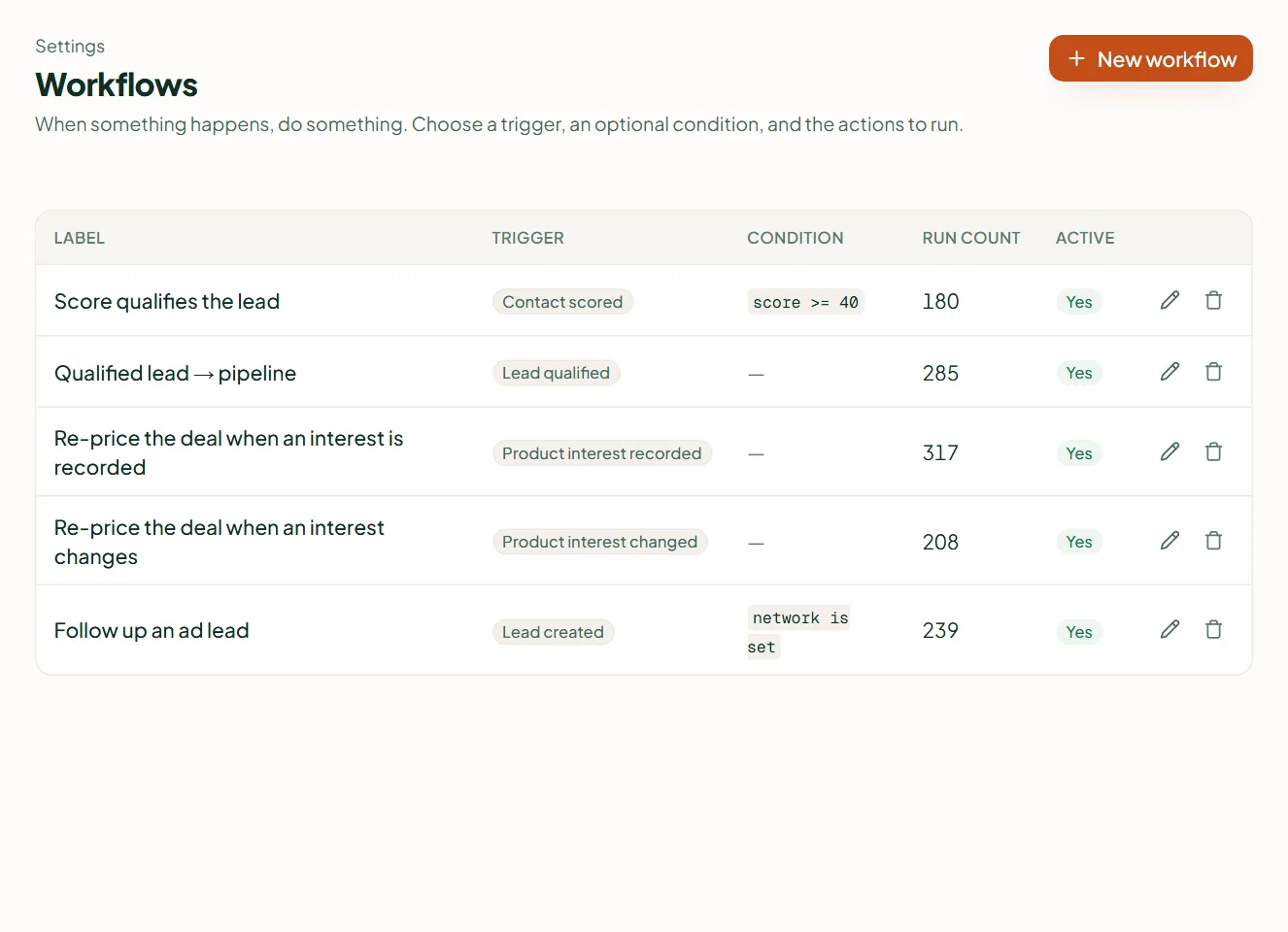
| Settings › Workflows | When something happens, Then do something: assign an owner, create a task, open a deal, move a stage, sync to your CRM, stop campaigns. |
| Settings › Fields you collect | The details the agent captures and the screens show. |
The starter workflows
- Score qualifies the lead — at a score of 40 the lead becomes qualified.
- Qualified lead → pipeline — a qualified lead opens a deal.
- Keep the deal value current — the deal is priced from the products the customer is interested in, at catalogue prices.
- Follow up an ad lead — a task due in an hour for every lead from an ad.
A deal's value is always a catalogue price, never a number typed in the chat. Routing in words ("hot leads to Anuj") can be set with Edit agent.
Related
Stuck? Write to help@linkubit.com with the screen you are on and what it says. Not using Linkubit yet? Start free — fourteen days of Pro, no card.