Report outcomes back to Meta and Google, and sync audiences
Send qualified leads and won deals back to the network that produced them, and keep a Linkubit audience current as a customer list on Meta or Google.
Conversion feedback reports qualified leads and won deals to the network whose click earned them, so ads are optimised for real outcomes, not clicks. Audience syncs push a Linkubit audience to Meta or Google as a customer list, kept current every six hours, once it has at least 100 consented members. Both are Pro and Scale features; audience syncs also need an active subscription.
Conversion feedback
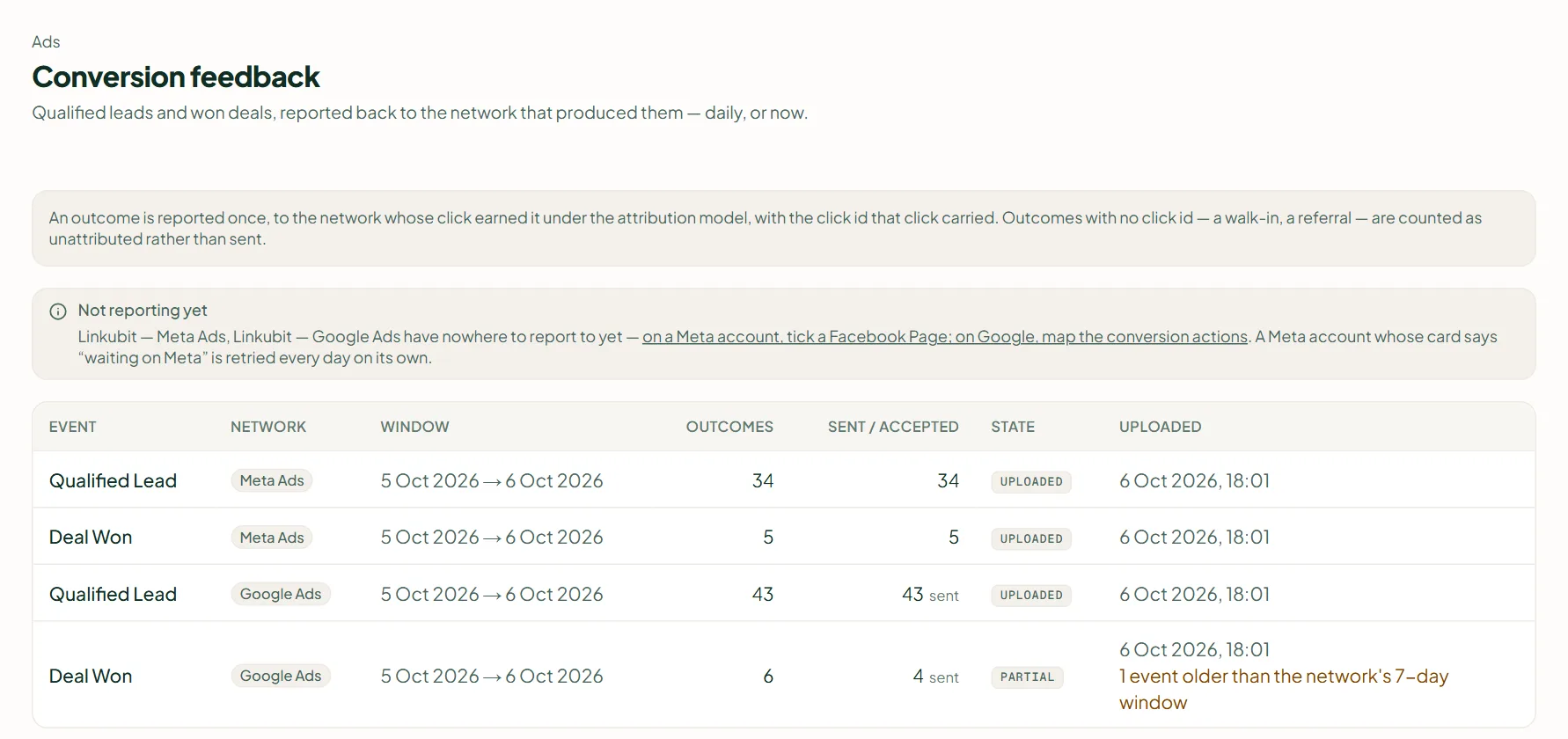
Open Ads › Conversion feedback. Each outcome is reported once, to the network whose click earned it, using that click's id; an outcome with no click id is counted as unattributed and not sent. It runs daily, or press Upload to {network} now — "Nothing new to report since the last upload" means you are up to date. The table shows each event, the network, the window, the outcomes, how many were sent and accepted, and the state.
If you see Not reporting yet, tick a Page on Meta, or map conversion actions on Google, under Settings › Ad accounts › Configure. Meta accepts outcomes only up to seven days old; Google keeps ninety.
Audience syncs
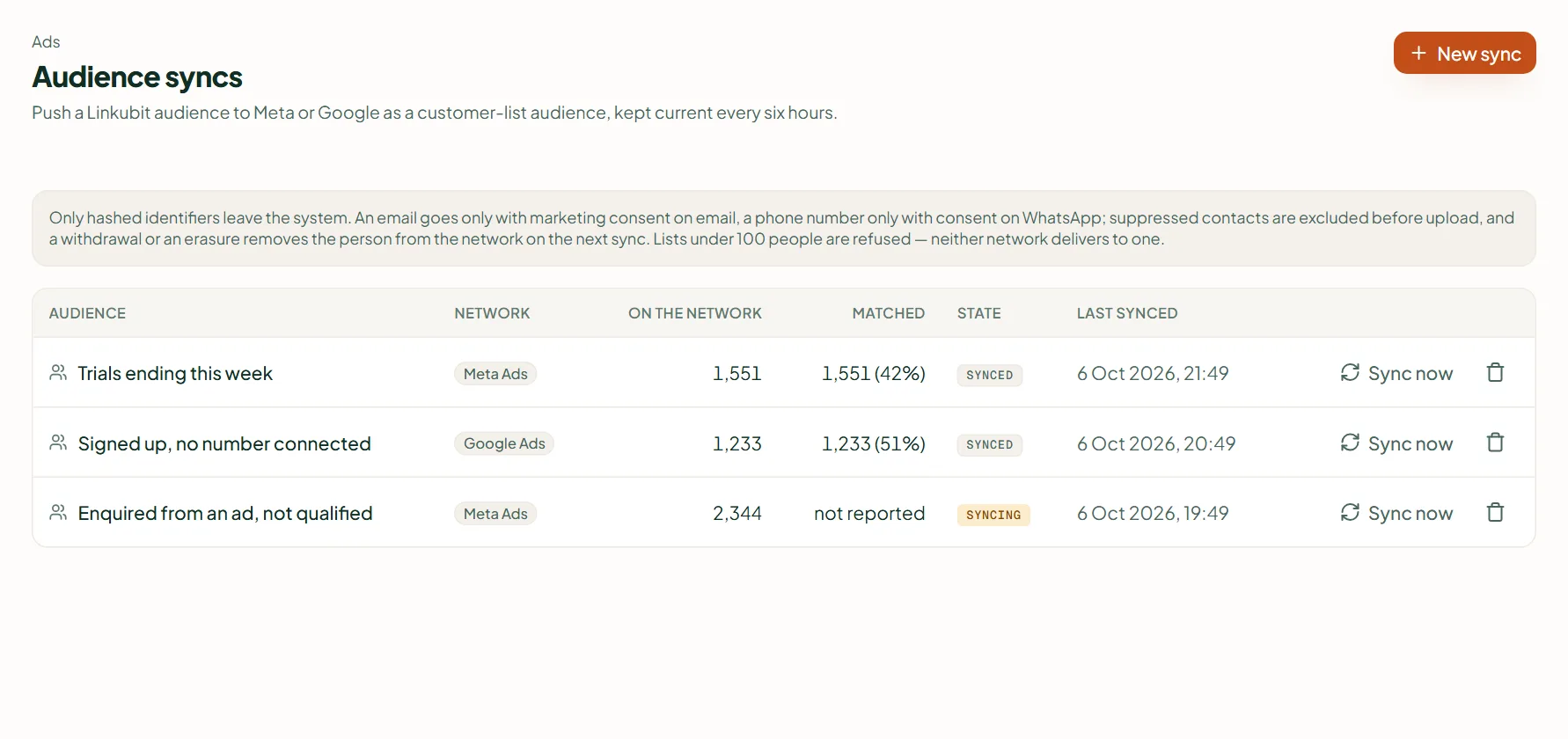
- Build the audience first — see Build an audience.
- Open Ads › Audience syncs and press New sync; choose the Audience and the Ad account, then Create sync.
- The first upload runs on the next sweep, or press Sync now. After that it stays current every six hours.
A sync waits until the audience has at least 100 consented members, and only members with consent are ever sent. If the state reads terms_required, accept the audience terms in Ads Manager or Google Ads and sync again.
Related
Stuck? Write to help@linkubit.com with the screen you are on and what it says. Not using Linkubit yet? Start free — fourteen days of Pro, no card.