Consent, opt-outs, suppressions and blocking a person
Set how you ask for permission, how opt-outs are honoured, release a suppression, and block a person from the inbox.
Settings › Consent holds the notice sent on the agent's first reply and the privacy-policy link. Anyone who says stop is opted out and added to Suppressions — a hashed list that survives even if the contact is erased. A hard bounce, a spam complaint or an unsubscribe lands there too. To stop everything to one person, Block them from the inbox.
Consent settings
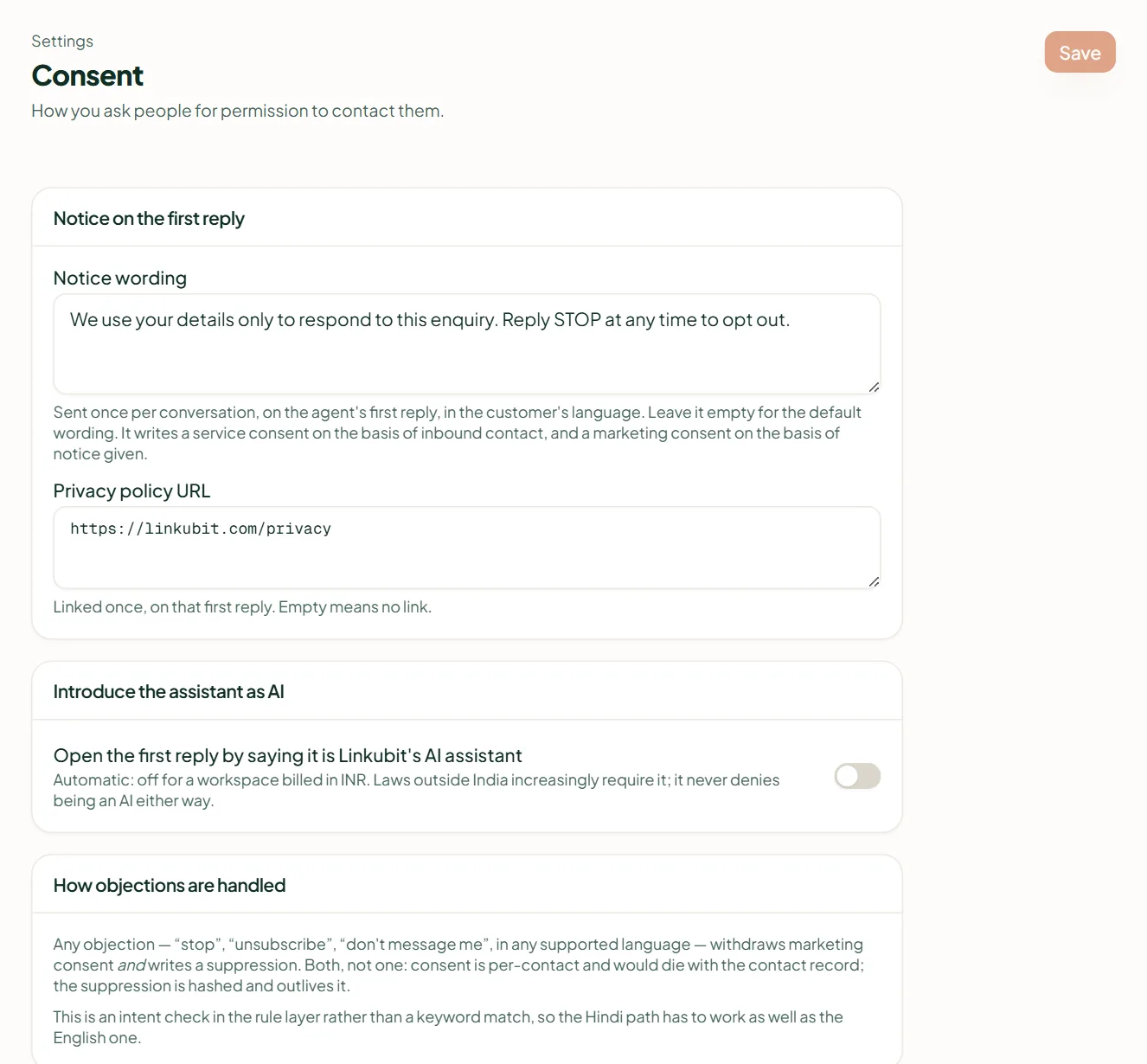
- Notice wording (up to 400 characters) is sent once per conversation, on the agent's first reply, in the customer's language. Empty means the default: "We use your details only to respond to this enquiry. Reply STOP at any time to opt out." It records a service consent on the basis of inbound contact, and a marketing consent on the basis of the notice given.
- Privacy policy URL is linked once, on that first reply.
- Introduce the assistant as AI — a switch to open the first reply by saying it is your business's AI assistant. It is on automatically when the workspace bills in a non-INR currency; Back to automatic resets it.
- How objections are handled — any "stop" or "unsubscribe" withdraws marketing consent and writes a suppression.
Suppressions
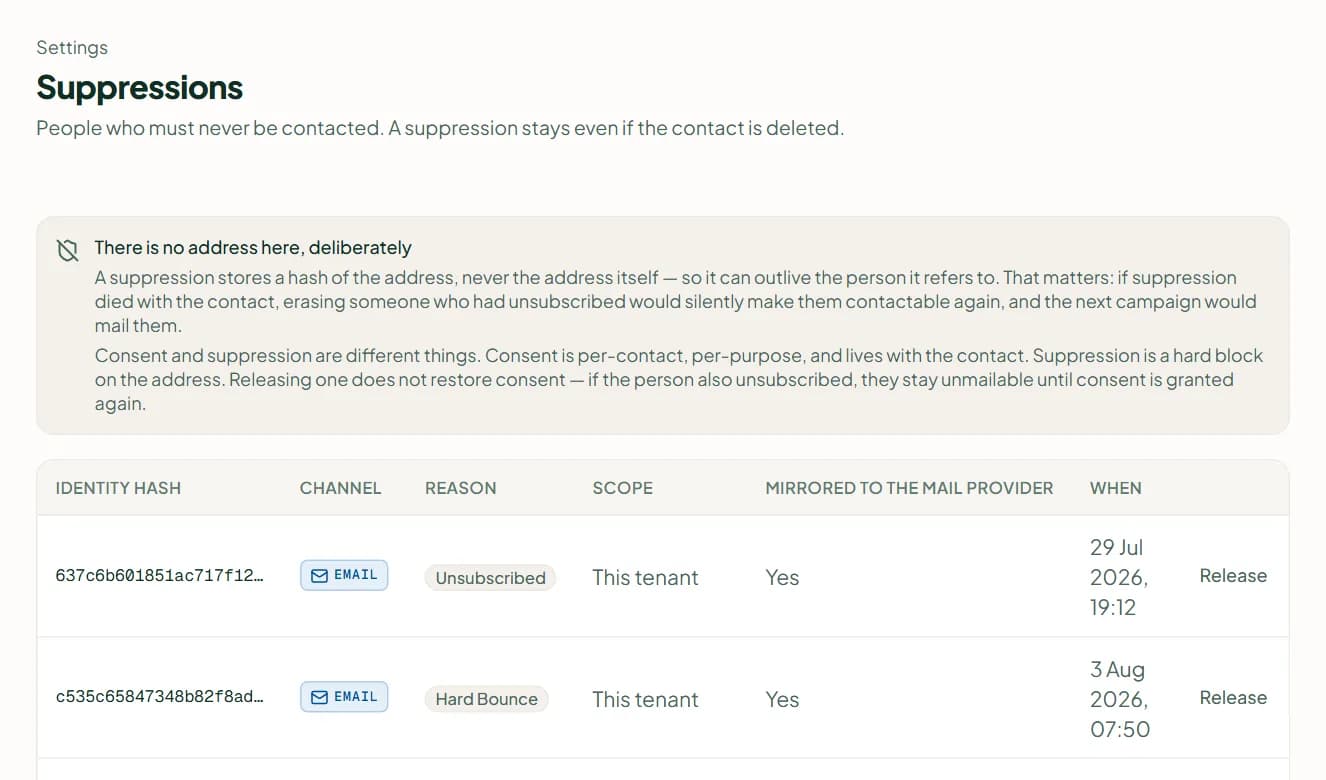
Settings › Suppressions lists people who must never be contacted: hard bounces, spam complaints and unsubscribes. They are kept as a hash — not the address — so the list survives even if the contact is erased. An empty list is the healthy state. Release appears only on a suppression of your own workspace; it lets the address receive mail again but does not re-grant consent, and it is written to the audit log. Needs the permission Manage suppressions.
Block a person
In a conversation's menu choose Block this person: nothing will answer them and nothing will be sent to them. Find them under the Blocked filter; Unblock this person reverses it. A block is a person's state — different from a suppression, which is hashed consent that outlives the contact.
Related
Stuck? Write to help@linkubit.com with the screen you are on and what it says. Not using Linkubit yet? Start free — fourteen days of Pro, no card.