Export your data and erase a person or the whole workspace
Handle data requests from your customers within 30 days, export the workspace or one person's data, and erase a contact or the whole workspace.
Settings › Data & erasure lists requests people have made — a copy of their data, a correction, or erasure — each to be answered within 30 days, and fulfils untouched erasure and access requests itself on day 25. From here you can also export the whole workspace as a zip, export or erase one person from their page, and delete the organisation.
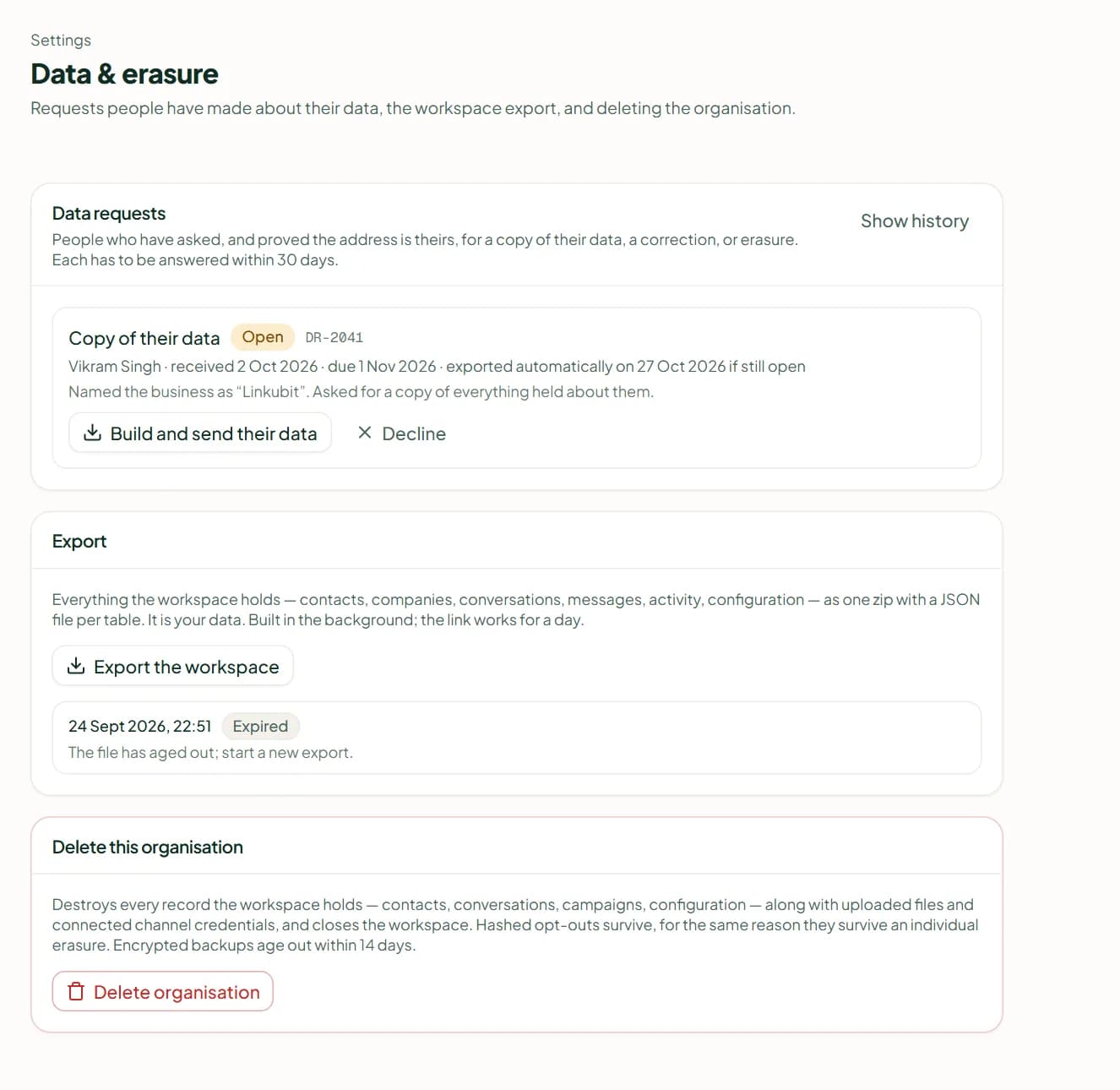
Data requests
A request reaches you once the person has confirmed their address, from the public request form or Meta's deletion callback. Each row shows the kind — Copy of their data, Correction or Erasure — and a badge (Open, Overdue, Declined, Done, or "Done automatically").
- Erase (needs the permission to erase) — confirm by typing the person's name, then Erase permanently.
- Build and send their data — builds the export and sends it to them over the channel that verified them.
- Mark corrected, or Decline with a note.
- An erasure or access request nobody has touched is fulfilled automatically 25 days after it arrived, five days before the deadline; the row says when.
Export the workspace
On the Export card press Export the workspace. Everything the workspace holds — contacts, companies, conversations, messages, activity and configuration — is built in the background as one zip with a JSON file per table, and the link works for a day. It needs the permission Export the workspace's data.
One person
On a contact's page, Export their data builds a download for that person (Download their data, Rebuild). Erase removes them — this is not a soft delete and there is no undo. You type their name to confirm, and "N records destroyed" tells you how much went. What stays: the hashed suppression, so they are not contacted again, and billing rows with the reference removed. The erasure is written to the audit log.
Delete the organisation
On the Delete this organisation card press Delete organisation, type the workspace's slug and choose Delete everything. Every record is destroyed and you are signed out; opt-outs are kept as hashes, and encrypted backups age out within 14 days. It needs the permission to erase the workspace.
Related
Stuck? Write to help@linkubit.com with the screen you are on and what it says. Not using Linkubit yet? Start free — fourteen days of Pro, no card.