Take over a conversation from the AI agent, and hand it back
Press Take over to stop the agent replying on one conversation, answer the customer yourself, and press Return to AI when you are done.
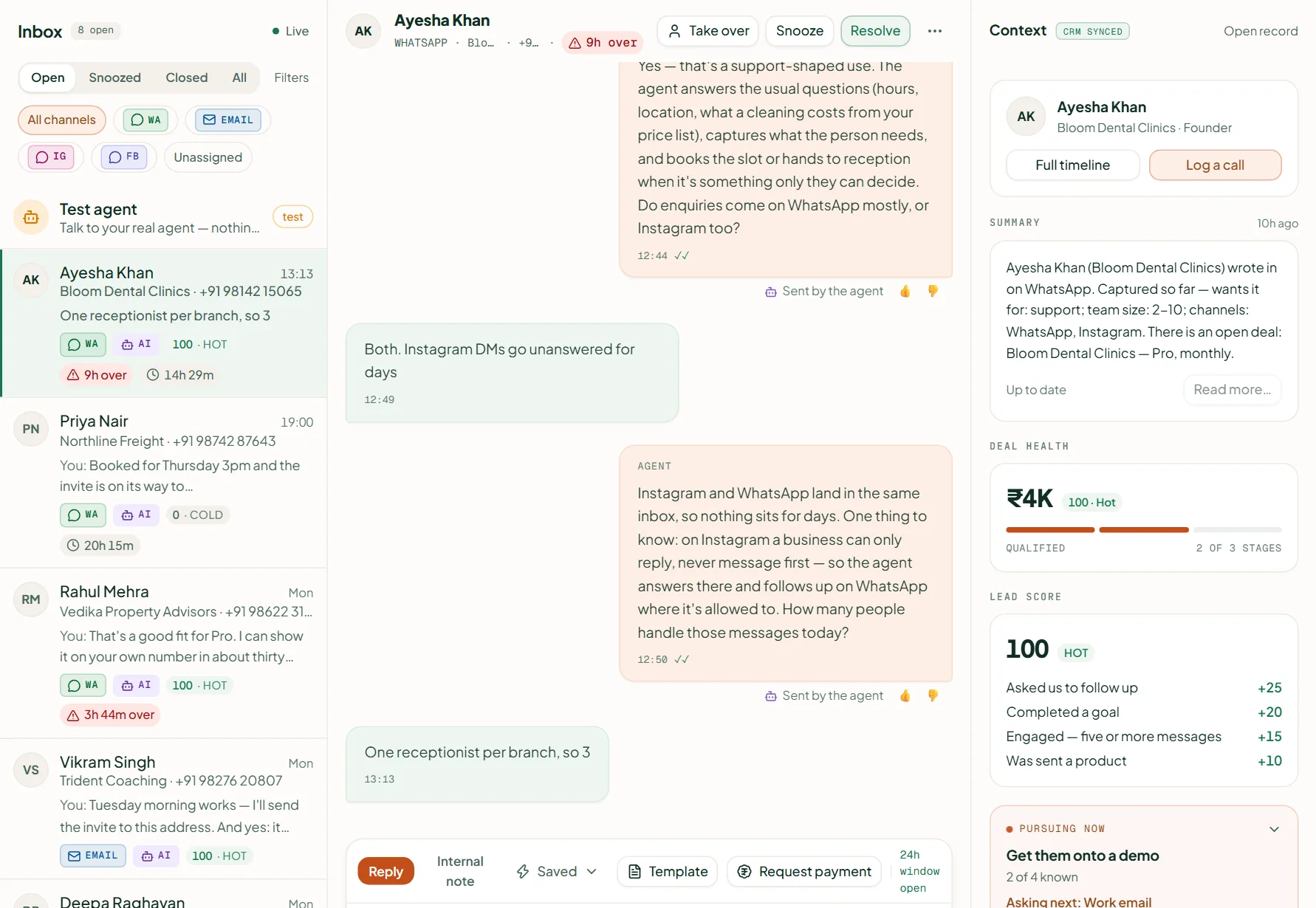
Open the conversation in Inbox and press Take over. The agent stops replying on that conversation until you press Return to AI. Your WhatsApp replies cost no credits (an email reply is a tenth of a credit); assigning the conversation also moves the contact, its leads and its open deals to that person.
Take over and hand back
- Open the conversation in Inbox and press Take over. The banner reads "The agent will not reply on this conversation until you hand it back."
- Reply in the composer as usual.
- Press Return to AI when the agent should carry on.
Summaries
Press Write a summary, choose Messages to read, and press Generate. It costs 1 credit per 25 messages read (at least one), on Starter and up; on Pro and Scale it is included. Later runs read only what is new.
Can I delete a message?
Yes — Delete message on the bubble removes it from Linkubit's inbox for your whole team. The customer still has it on their phone.
Which filters are there?
Open, Snoozed, Closed and All; and under Filters: channel, Unassigned, Mine, Human, Unread, SLA breached, Cold and Blocked.
Related
Stuck? Write to help@linkubit.com with the screen you are on and what it says. Not using Linkubit yet? Start free — fourteen days of Pro, no card.