Create an ad campaign: five Meta shapes, three Google types, always paused
Use the campaign wizard to build Meta lead-generation, click-to-WhatsApp, Instagram DM, traffic and engagement ads, and Google Search, Performance Max and Demand Gen.
On Ads, open a network and press New campaign. The wizard walks Basics, Targeting, Budget, Creative and Review, then Create paused campaign. Everything it creates — campaign, ad set and ads — is paused, so nothing spends until you switch it on from the campaign page, which needs an active subscription. Campaigns you build during the trial stay paused.
What you can build
| Network | Type | Goal |
|---|---|---|
| Meta | Lead generation | People fill an instant form without leaving Facebook or Instagram |
| Meta | Click to WhatsApp | An ad that opens a WhatsApp chat with you |
| Meta | Click to Instagram DM | An ad that opens an Instagram conversation |
| Meta | Traffic | New copy, or boost an existing post, sending people to a page |
| Meta | Engagement | New copy, or boost an existing post |
| Search | Text ads on Google Search: 3–15 headlines up to 30 characters, 2–4 descriptions up to 90 | |
| Performance Max | Assets across Google: 3–5 headlines, 1–5 long headlines, 2–5 descriptions, images and a logo | |
| Demand Gen | Image and video ads: 1–5 headlines up to 40 characters |
Anything outside this set is refused with a message naming it. An ad is either new copy or a boosted post, never both.
The steps
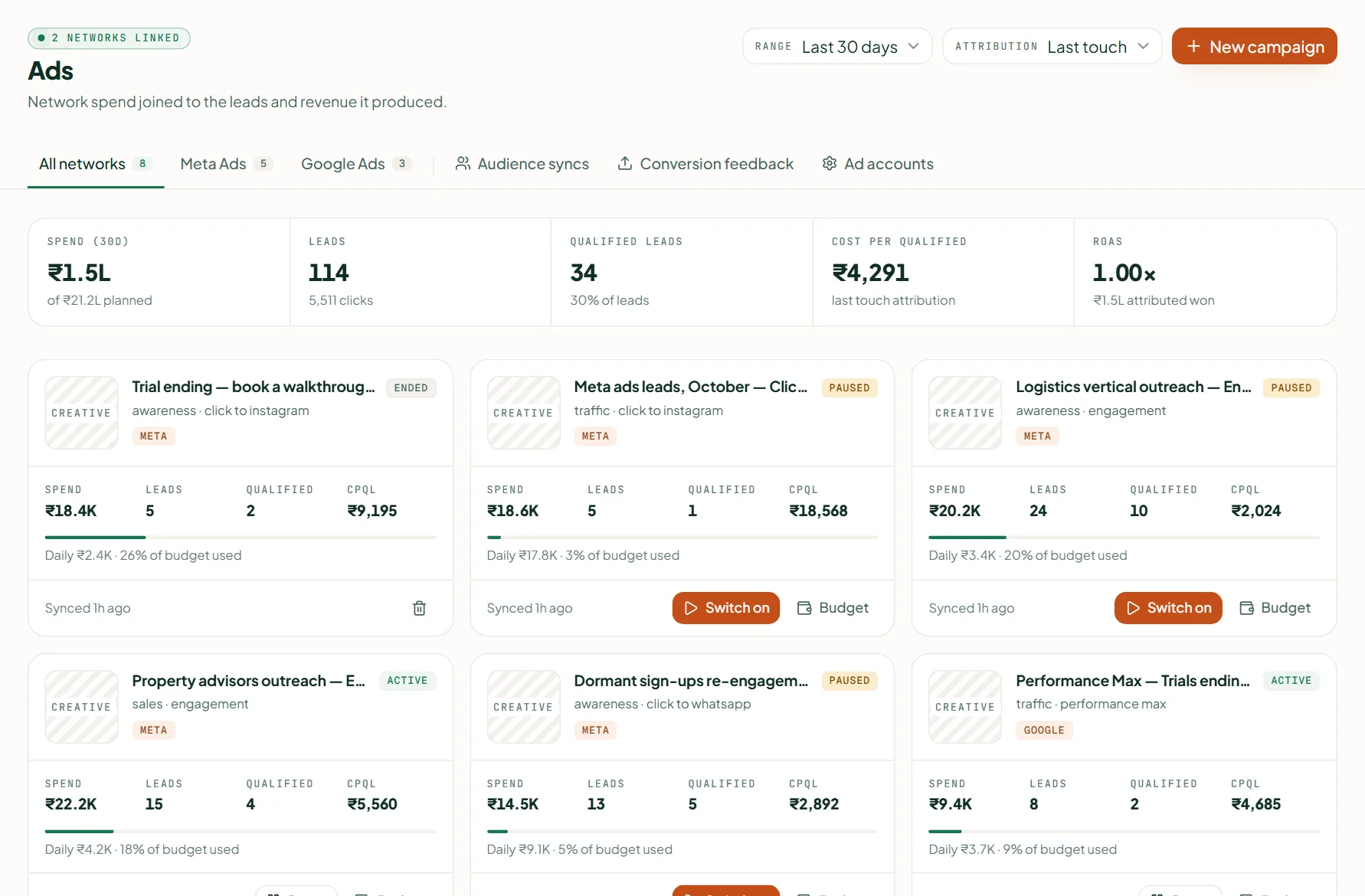
- On Ads, open Meta or Google and press New campaign.
- Basics — a name and the type. Targeting — countries (at least one) and, on Meta, placements: Instagram, Facebook, Messenger, Threads, Audience Network. Leave placements empty and Meta chooses every surface, not Facebook only.
- Budget — a daily budget above zero.
- Creative (Google: Keywords & ad for Search, Assets for Performance Max and Demand Gen) — the copy and images. Every Meta creative written from scratch needs an image, at least 600×600 (1080×1080 recommended). For Google Performance Max: a landscape image from 600×314, a square from 300×300 and a logo from 128×128. Demand Gen needs a logo and at least one landscape or square image (Search has no images). Linkubit measures each image before it sends anything.
- Review, then Create paused campaign. The toast reads "Created — and paused".
Switching it on
Open the campaign and press Switch on. Switching on, changing the budget and syncing an audience need an active subscription — "Campaigns you build during the trial stay paused. Subscribe to switch them on." Pause stops delivery within minutes; Daily budget changes the spend; Remove is offered once a campaign has ended. A new campaign starts delivering only after the network's own review.
Why paused
If something goes wrong in building a campaign, the failure should be a campaign that does nothing — never one that spends. Meta and Google decide delivery; Linkubit only builds and reports.
Related
Stuck? Write to help@linkubit.com with the screen you are on and what it says. Not using Linkubit yet? Start free — fourteen days of Pro, no card.