Write lead scoring rules: points for what a customer says and does
Add points when a lead does something, write the rule as a condition or in plain words, and read the breakdown behind every score.
Settings › Scoring rules adds or subtracts points while a condition holds, and the score is the plain sum of the rules that match — with each rule's contribution recorded so you can always see why. A score of 70 and up is Hot, 40 and up Warm, below 40 Cold. On Pro and Scale a rule can also be described in words, at 0.1 credit per reply.
Add a rule
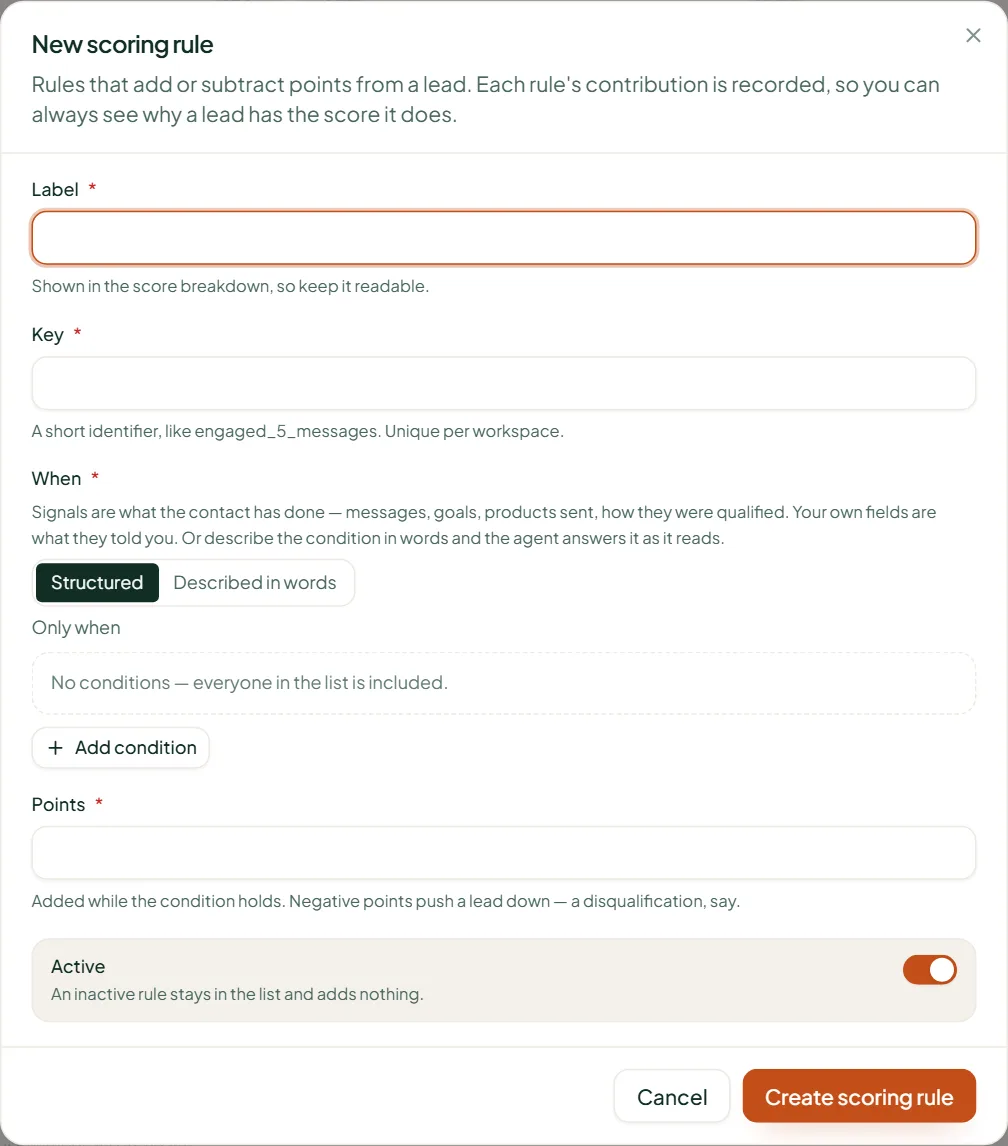
- Open Settings › Scoring rules and press New scoring rule.
- Fill the Label (shown in the score breakdown — keep it readable) and the Key (a short identifier like engaged_5_messages, unique in the workspace).
- Under When, build the condition (below).
- Set Points, from −100 to 100. Negative points push a lead down — a disqualification, say.
- Leave Active on (an inactive rule adds nothing) and press Create scoring rule.
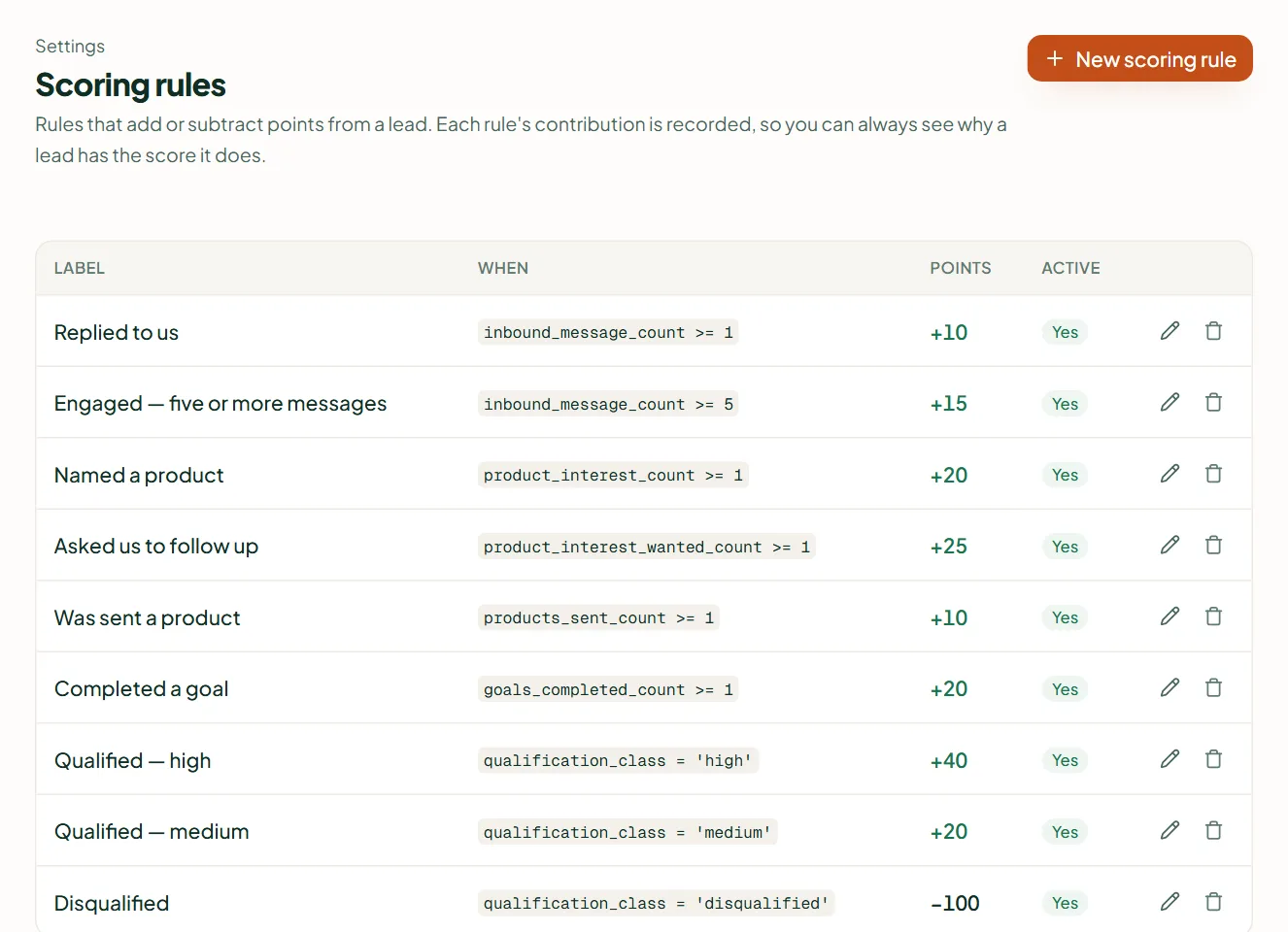
Structured conditions
Choose Structured, then all of these match or any of these match, and Add condition. Fields come in groups — What they've done (signals), What they told you, Their company, Contact and Your fields — with operators such as is, is not, is more than, is at least, is any of, includes, and has been collected.
| Signal | What it measures |
|---|---|
| Messages from them / to them | How many each way |
| Conversations | How many they have had |
| Channel used | WhatsApp, email, Instagram or Messenger |
| Days since they last wrote | Recency |
| Goal completed / Goals completed | Which goals, and how many |
| Product sent to them / Products sent | What you have shared |
| Qualification class, Lead source | High, medium, low or disqualified; where they came from |
| Replied to a campaign, Payment requested, Paid | Yes or no |
Described in words (Pro and Scale)
Choose Described in words and write the condition: "The customer said their budget is approved and they want delivery in Mumbai" (10 to 400 characters). The agent answers it as it reads the conversation, and the answer sticks once it is yes. It costs 0.1 credit per reply however many such rules you have, a workspace may have ten active, and a conversation a person took over isn't read — use a structured rule over the signals for those. Editing or deleting the rule clears its stored answers.
Where the score shows
As a Score column on Contacts and Leads, on a contact's page, and beside the conversation in the inbox, labelled Hot, Warm or Cold. A workflow can react to it — the starter set qualifies a lead at a score of 40 (how).
Related
Stuck? Write to help@linkubit.com with the screen you are on and what it says. Not using Linkubit yet? Start free — fourteen days of Pro, no card.